Thank you for purchasing my Dizzy - Support Creator Content Script. If you have any questions that are beyond the scope of this help file, please remember to Create a ticket using my Support Site. Thank you very much!
dizzy - Support Creators Content Script is a platform where content creators, writers, designers, developers, photographers or any other branch can monetize their content by receiving subscriptions from their most loyal
followers or just anyone who likes their work. They can create free and premium posts for their subscribers.
Table of Contents
Features
- Subscription system
- Users can set the weekly, monthly and yearly subscription price
- Implemented GDPR
- Banner Cookies Policy
- Notifications Real-time
- User can get Notifications comment, follow, subscribe, post buy, like, comment like, approve content by administrator.
- Account verification by uploading ID or Passport
- Edit your profile
- Verified users will display a badge
- Create unlimited posts for Free, Subscribers and Premium
- Point(credit) system.
- Creators can share posts, charging fees. People can see the post in return for the points the creator has set for the post.
- Members who want to pay to view the content can add points to the wallet.
- Users can manage posts
- Creators can manage their Dashboard(Normal users don't have Dashboar)
- SEO on Pages
- Upload Avatar
- Upload Cover
- Setting your Payout method (PayPal or Bank Transfer)
- Make withdrawals when you reach the minimum amount established by admin
- Search creators by Name/Username
- Integration with Stripe with (Recurrent)
- Integration PayPal Payment
- Integration BitPay Payment
- Integration RazorPay Payment
- Integration iyziCo Payment
- Integration Authorize.Net Payment
- Integration PayStack Payment
- Integration CoinPayment Payment
- Top 5 creators of last week!
- Explore Creators
- Social Login with Twitter and Google
- Email Verification
- Upload Photos and Images
- The system blur the photos and videos in premium and subscriber posts. This way, the member cannot see the real image of that post until they buy the post or subscribe to the profile.
- User can report post
- User can block post
- Enable/Disable Message
- Current point from dropdown menu
- Total earnings from Creator Dashboard
- Secure password hashing
- SMTP Support
- Easy translation
- Multilanguage
- Progress bar on Upload
- Message system users can send photos, videos, stickers and gifs
- Infinite scroll on Message system
- Infinite scroll on User Wall and Profile Wall
- History of payments made and received
- Email notifications
- Contact us page
- Change Password
- Saved Posts
- Stickers System in Comment and Message
- Gifs system in Comment and Message
- Emoticon system in Commend and Message
- Sponsored Advertisements
- Subscribers
- Subscriptions
- Payments
- Light / Dark Mode
- Tips System
- Live Streaming
- Live Streaming Gift System like TikTok
- Live Streaming Chat (RealTime)
- Create a paid live streaming
- Create a Free live Streaming
- OneSignal (RealTime Browser Notification system)
- Block Country
- Suggested Users between posts
- Fake User Generator
- Earn Point system from comment, like post, like comment and creating a post.
- Enable/disable Earn Point system feature by feature
- Watermark URL on images
- Watermark logo on images
- Product System
- Share audio(mp3)
- Earn money with point syste
- Send tip from message
- Send paid private message from message
- Video Call Pear to Pear
Admin Features
- Settings
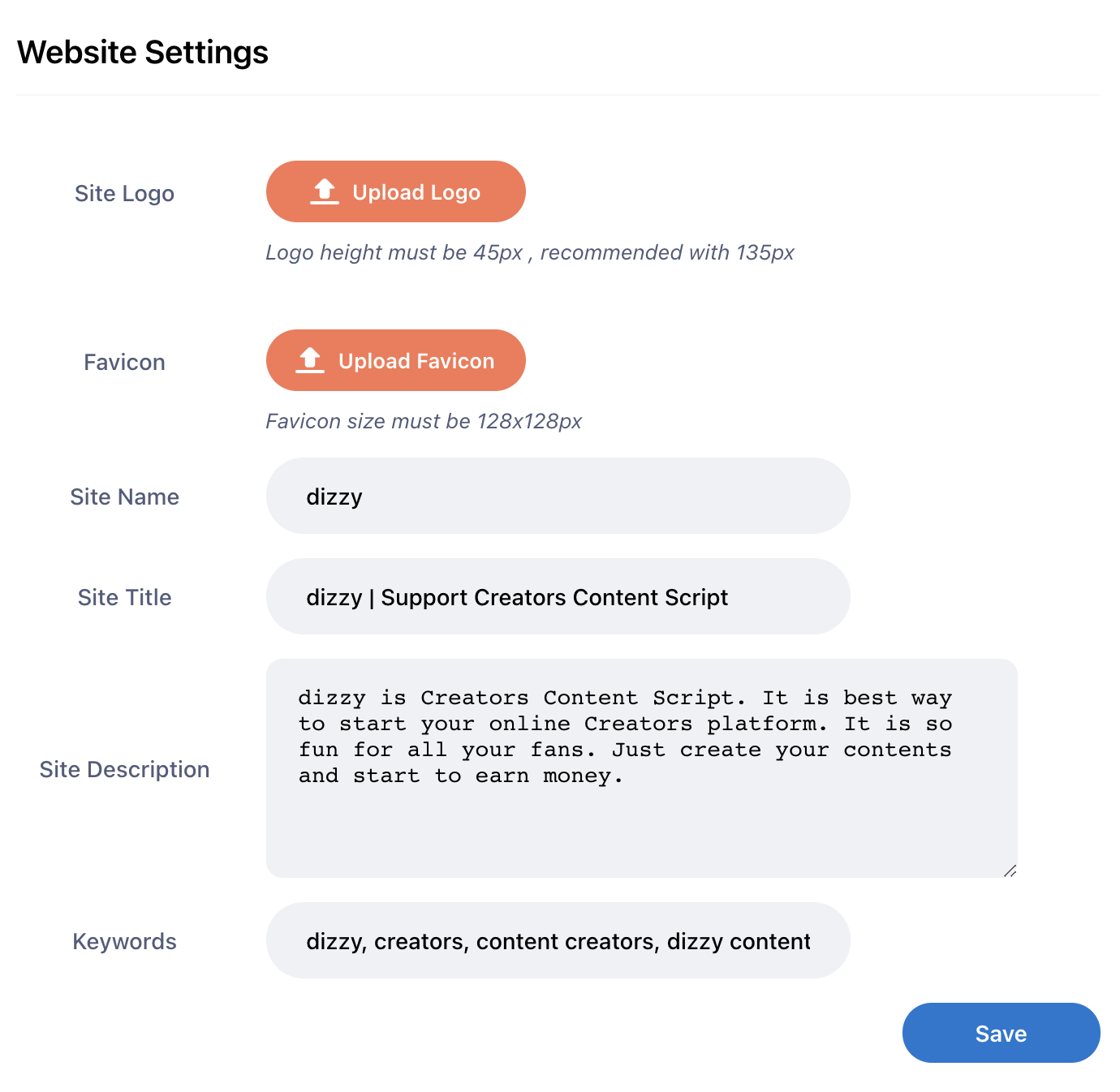
- Website Settings
- Site Logo
- Favicon
- Site Name
- Site Title
- Site Description
- Keywords
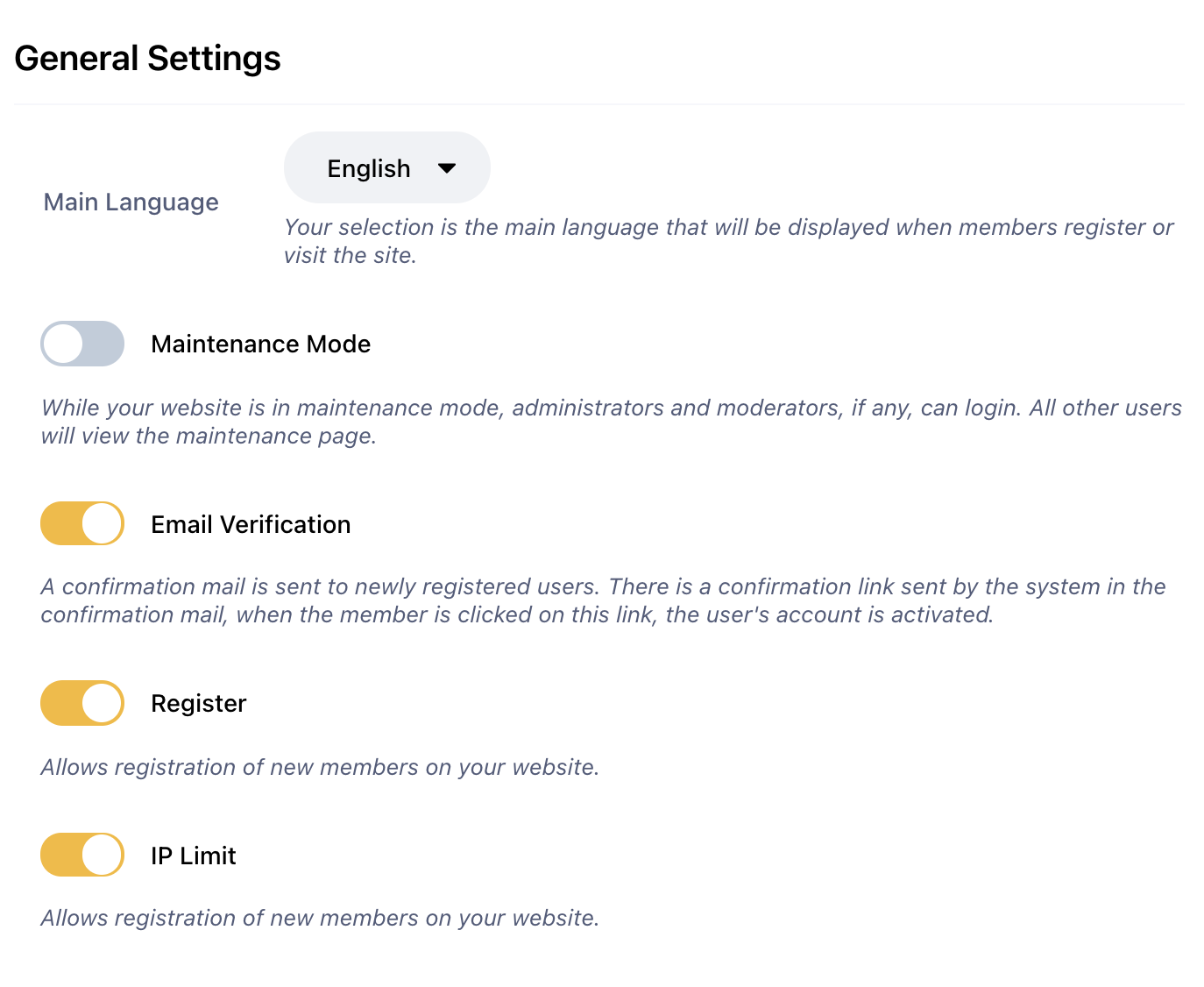
- General
- Main Language(Choose Language)
- Maintenance Mode(Enable/Disable)
- Email verification(Enable/Disable)
- Register (Enable/Disable)
- IP Limit(One ip can register 2 times if enabled)
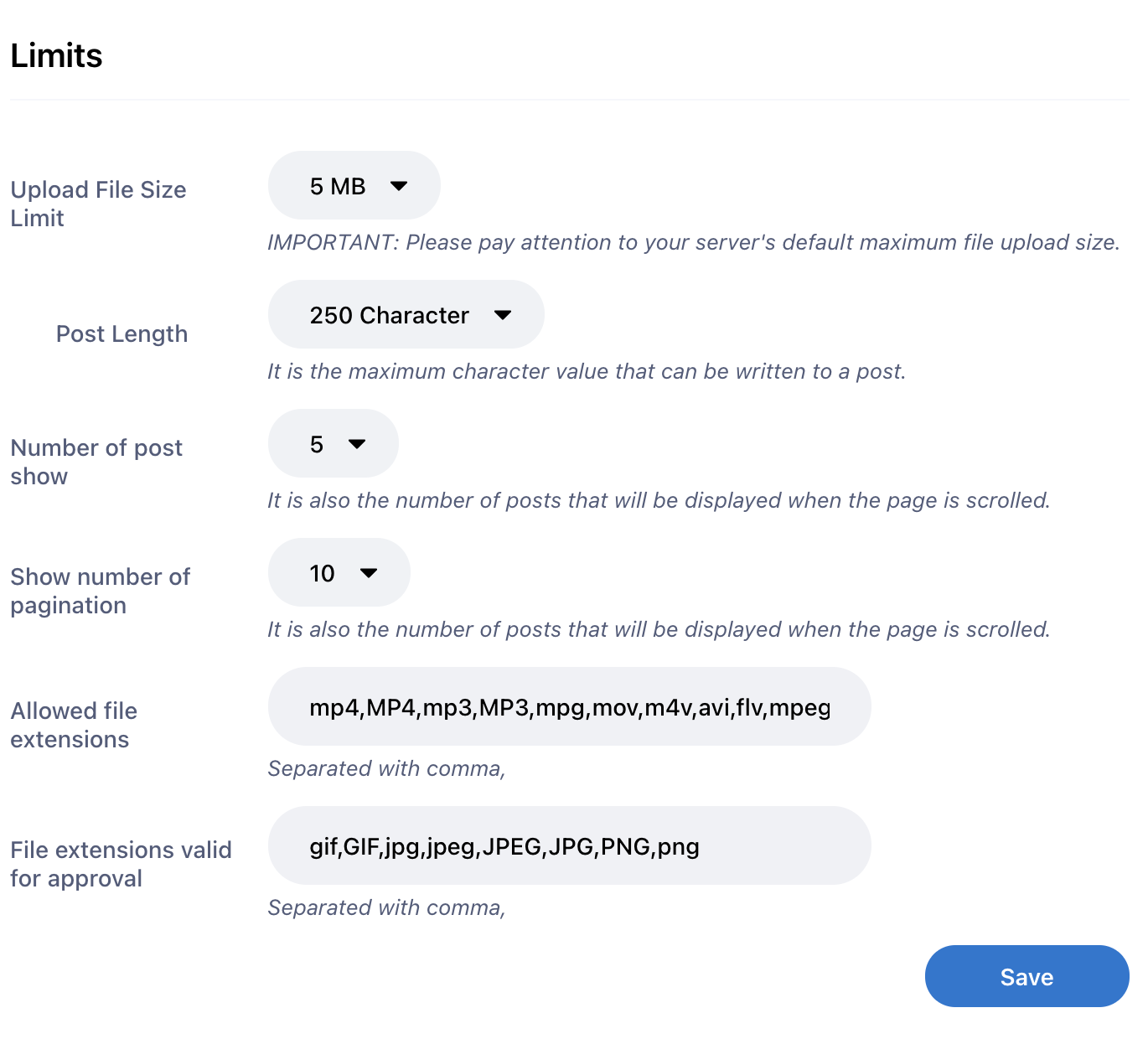
- Limits
- Upload File Size limit
- Post Length
- Number of post show
- Show number of pagination
- Allowed file extensions(mp4,MP4,mp3,MP3,mpg,mov,m4v,avi,flv,mpeg,MPEG,webm,mkv,MKV,gif,GIF,jpg,jpeg,JPEG,JPG,PNG,png)
- File extensions valid for approval(gif,GIF,jpg,jpeg,JPEG,JPG,PNG,png)
- Billing Informations
- Email Settings
- Live Streaming Settings
- Storage
- S3 Storage Settings (Amazon)
- DigitalOcean Storage Settings
- Questions from Users (from contact page)
- Manage Posts
- Awaiting approval(Admin should approve Premium posts)
- Posts
- Premium Posts
- Subscribe Possts
- Reports
- Reported Posts
- Reported Comments
- Design
- Custom CSS/JS
- Manage SVG Icons
- Manage Landing Page
- Landing Page Question & Answer
- Manage Point Feature
- Point Packages Settings
- Live Streaming Gift Coin Settings
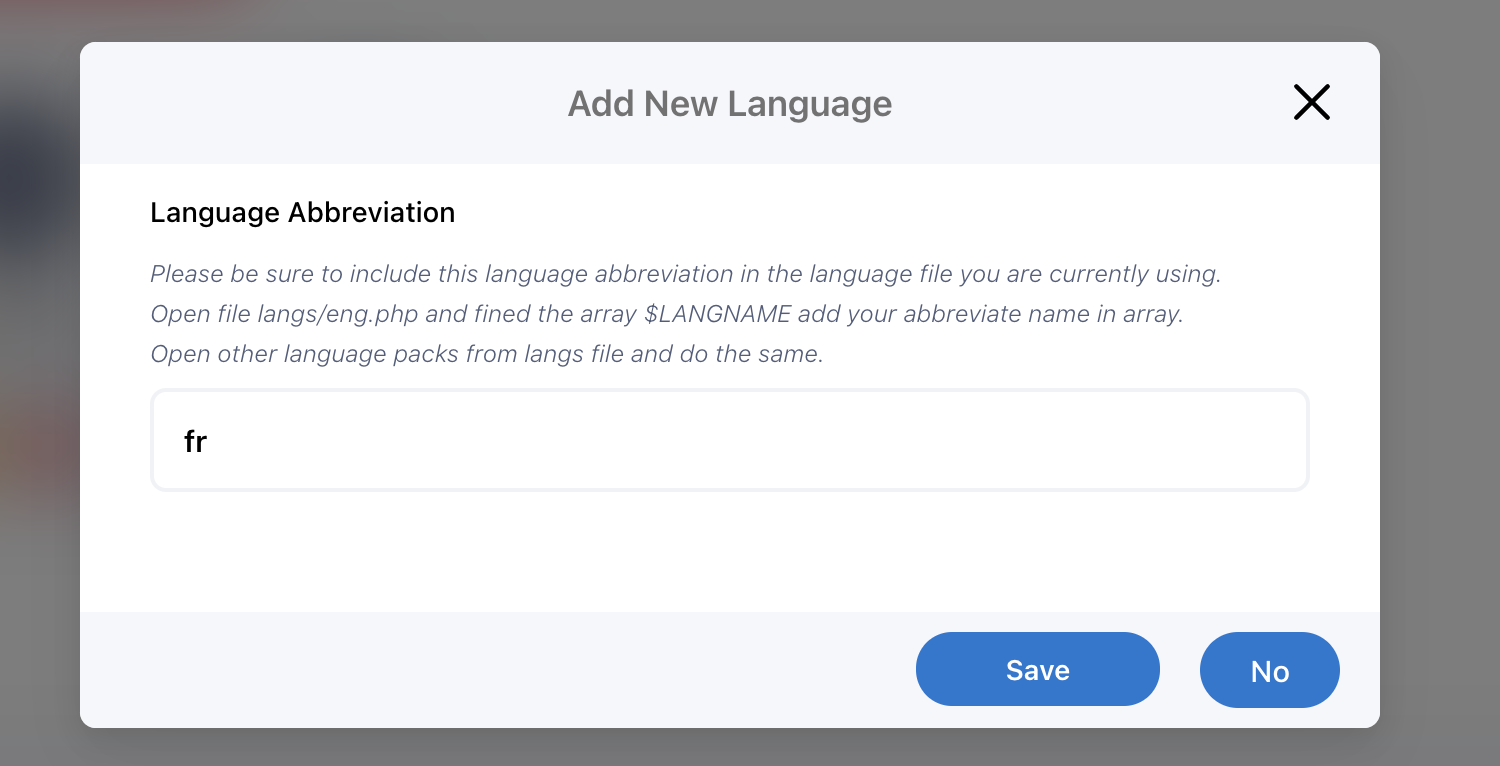
- Manage Languages
- Users
- Manage Users
- Creator Verification Requests
- Pages (Create/Edit/Delete) pages
- Stickers (Create/Edit/Delete) stickers
- Giphy API Settings
- Payment Methods
- Payment Settings
- PayPal
- Bitpay
- Stripe
- Authorize.Net
- IyziCo
- RazorPay
- PayStack
- CoinPayment
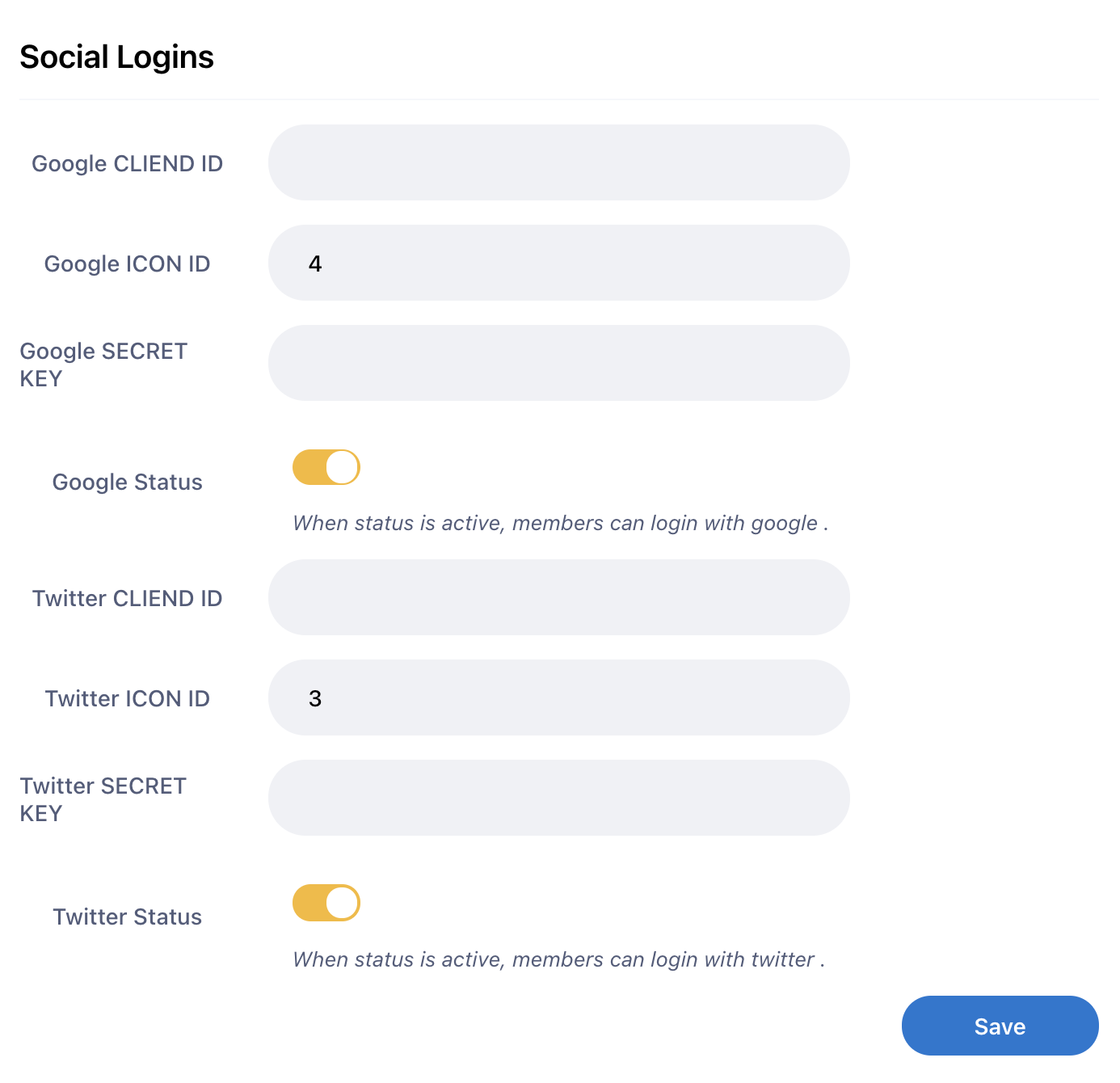
- Social Logins (Edit Twitter and Google Login)
- Manage Payments
- Manage Withdrawals
- Manage Subscription Payment
- Advertisement
- Create a Advertisement
- Manage Advertisements
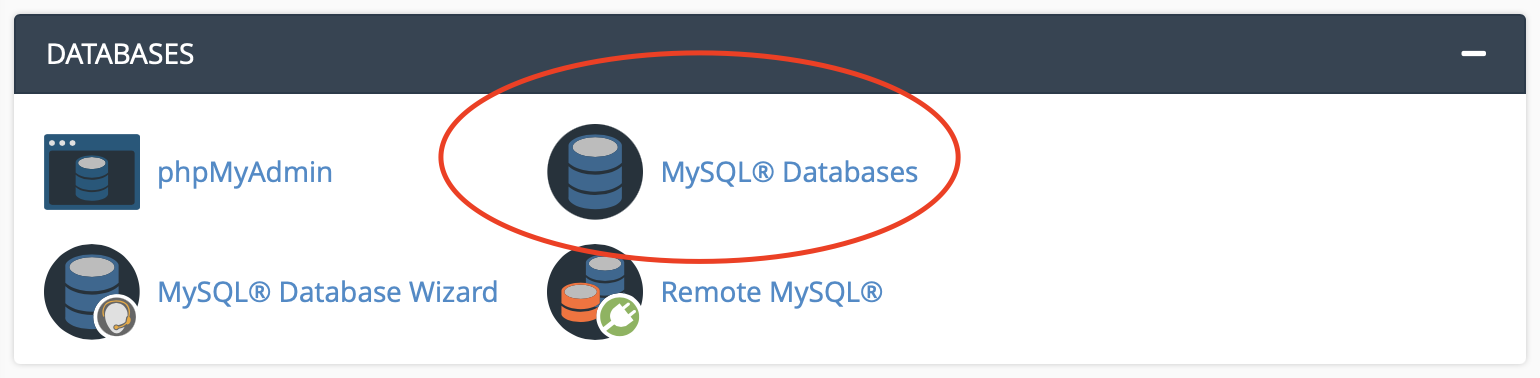
1-) Create a database
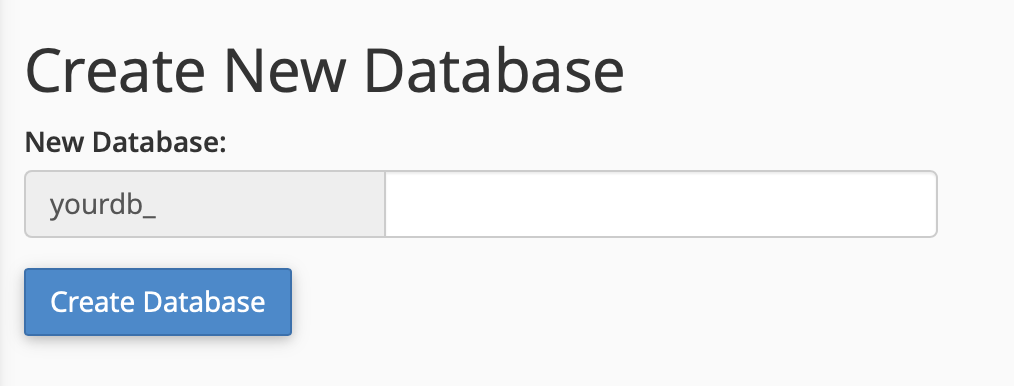
2-)New Database
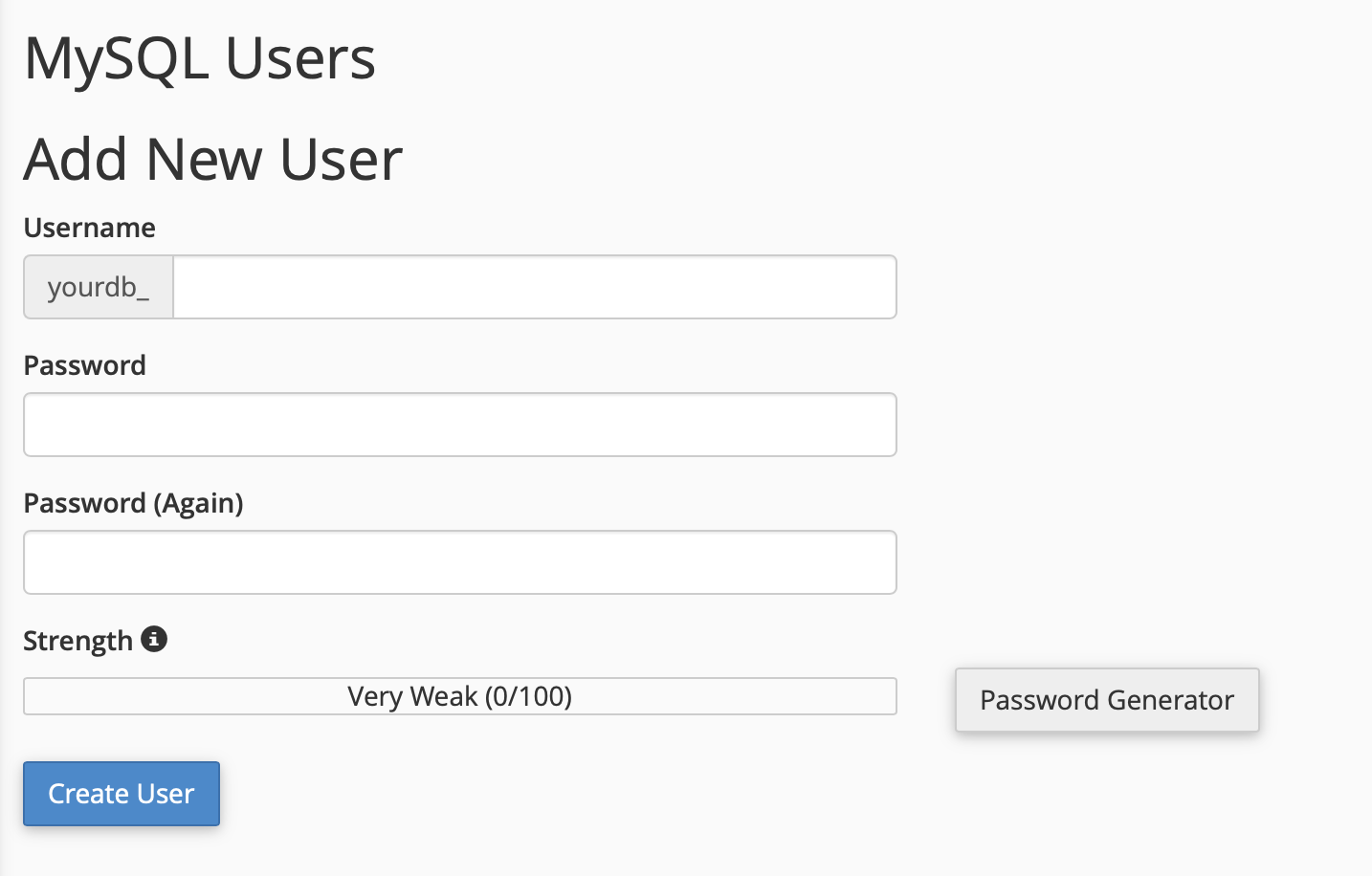
3-)New Database User
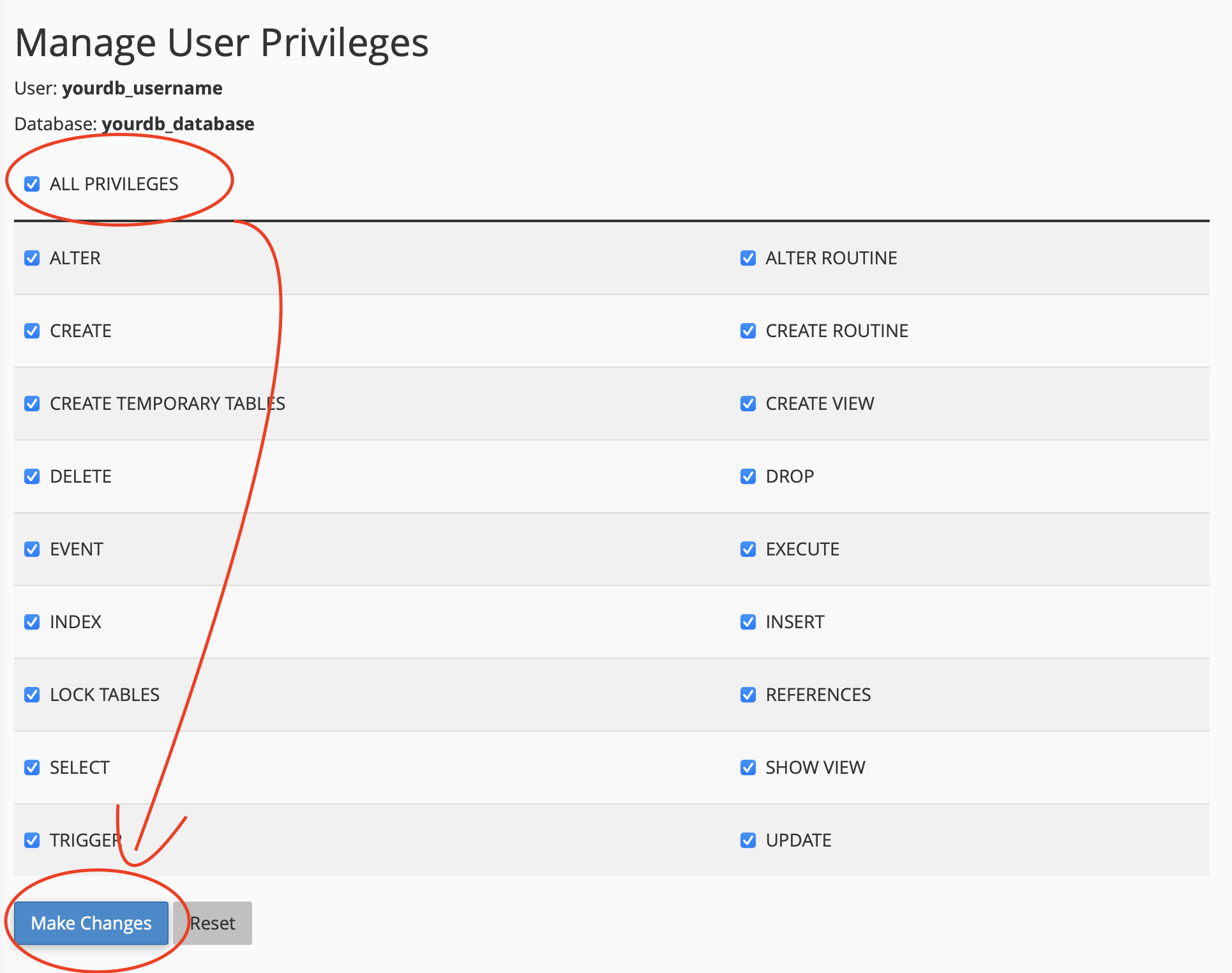
3-)Manage User Priviliges
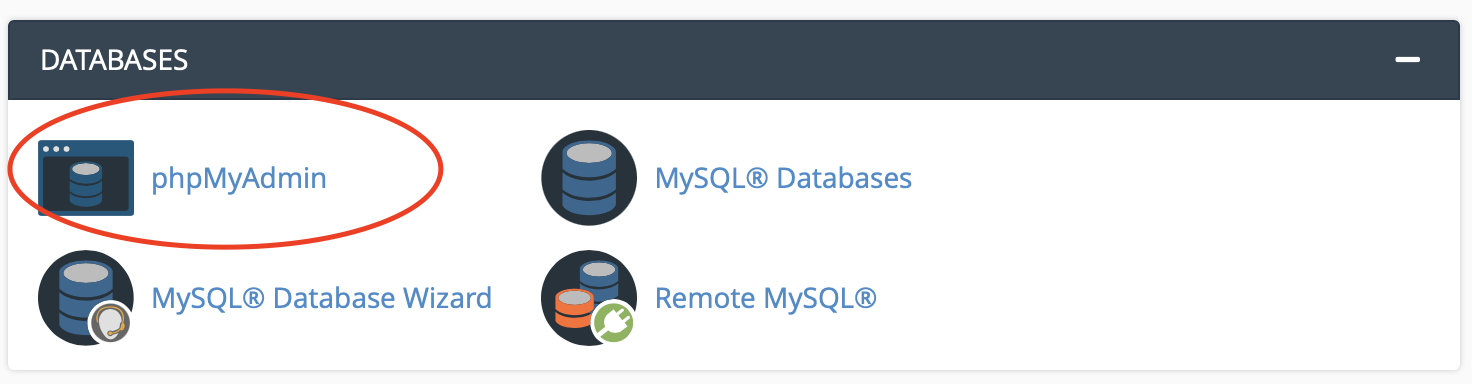
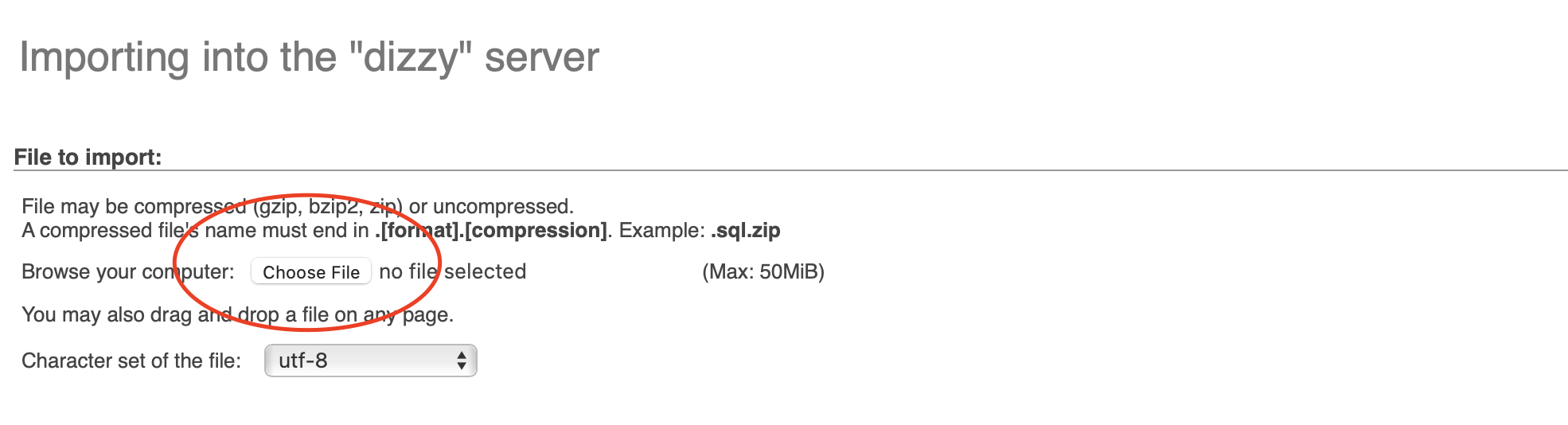
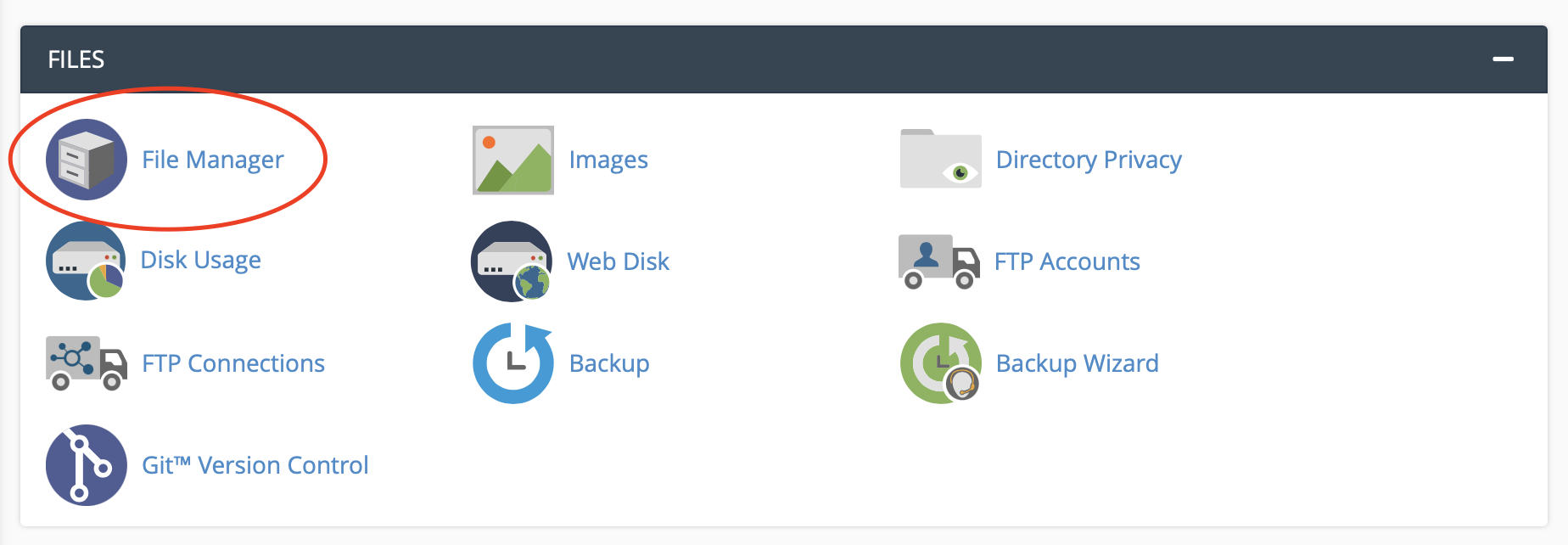
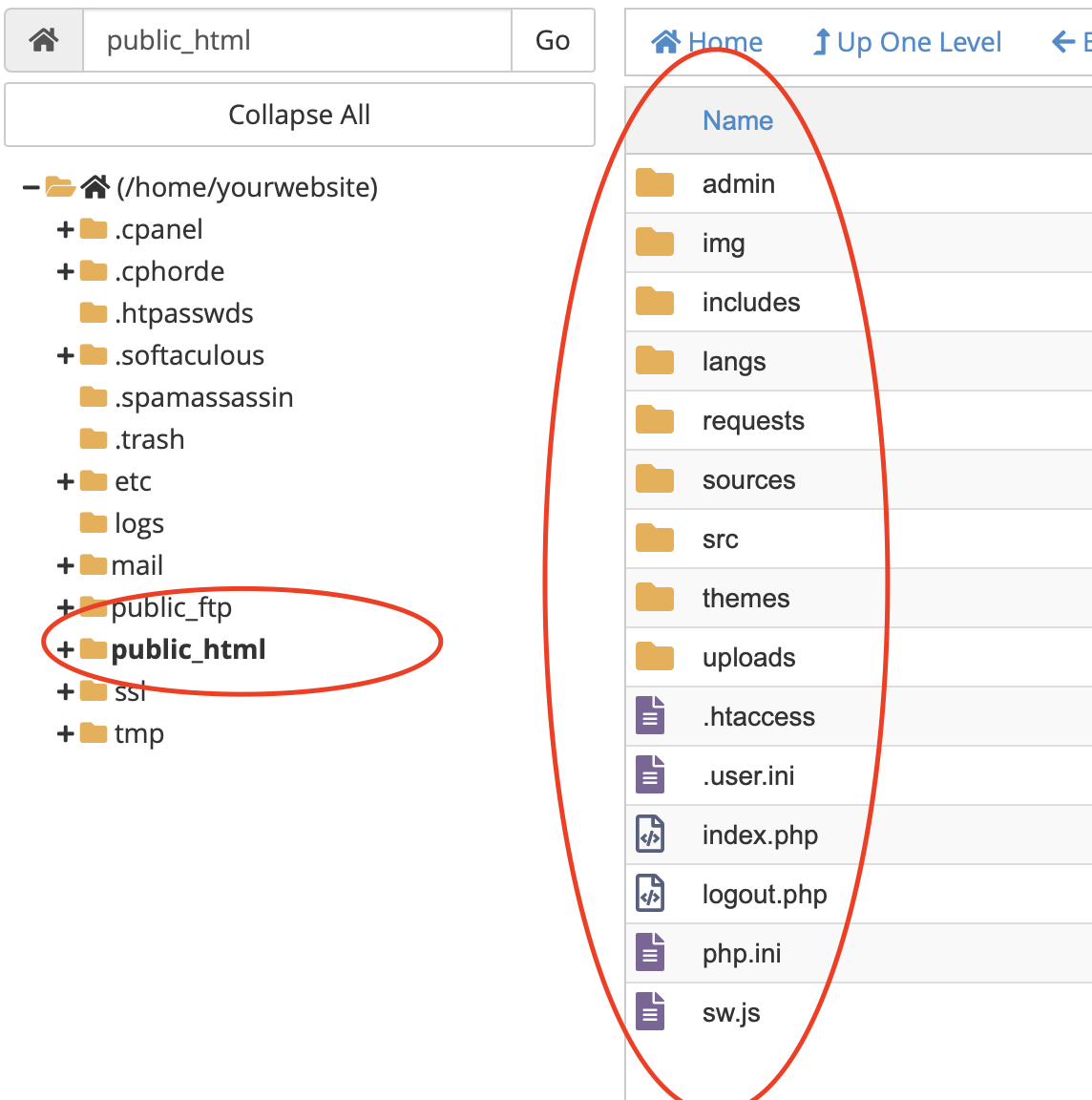
4-)Import Database
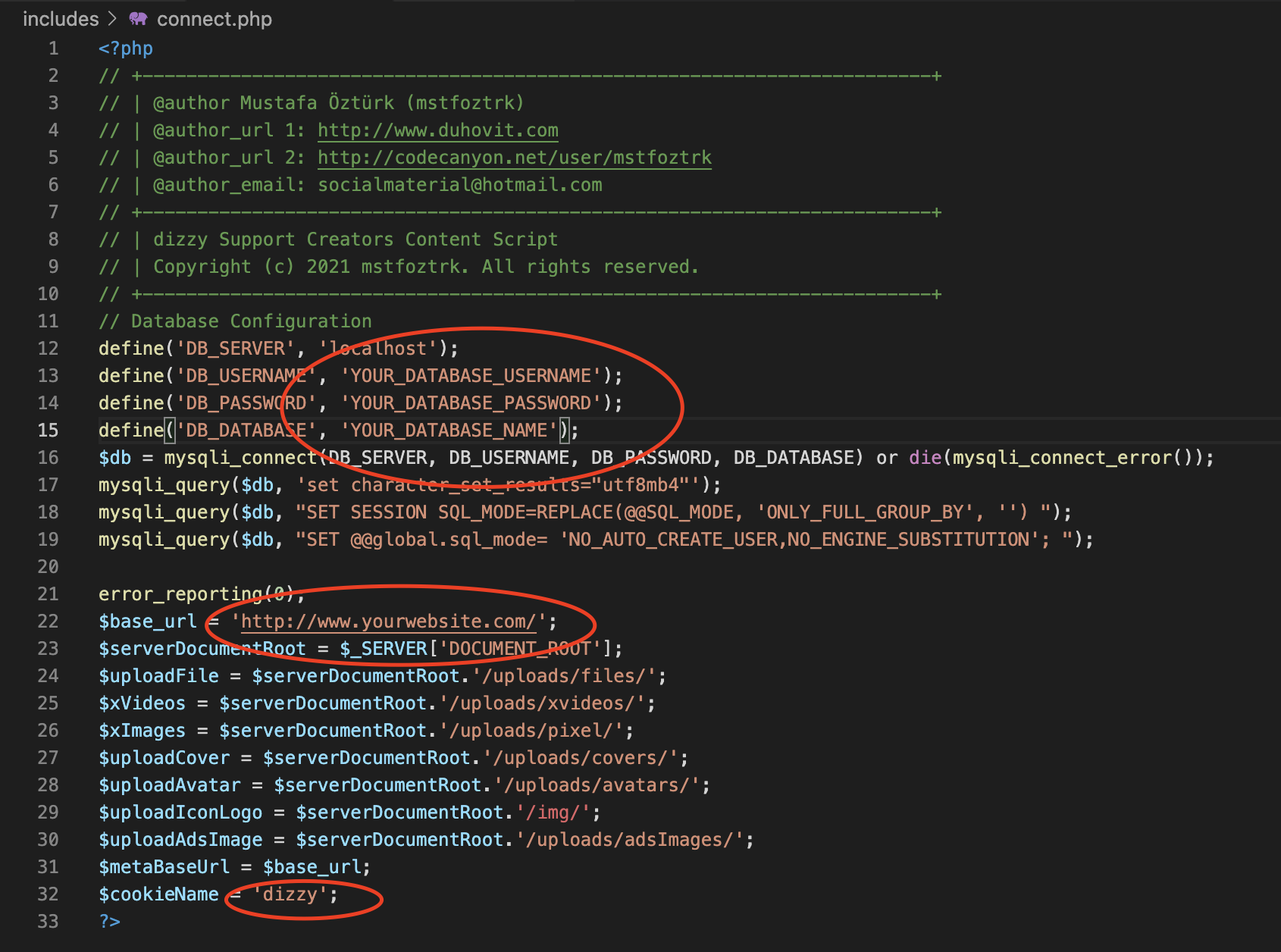
- Please don't forget to add slash after your url like
- true = http://www.yourwebsite.com/
- false = http://www.yourwebsite.com

Dashboard Settings Website Settings
Dashboard Settings General
Dashboard Settings Limits
Email Settings
Storage Settings (s3)
{
    "Version": "2012-10-17",
    "Statement": [
        {
            "Sid": "PublicRead",
            "Effect": "Allow",
            "Principal": "*",
            "Action": [
                "s3:GetObject"
            ],
            "Resource": [
                "arn:aws:s3:::YourBucketNameHere/*"
            ]
        }
    ]
}
Click Save.
Storage Settings (DigitalOcean)
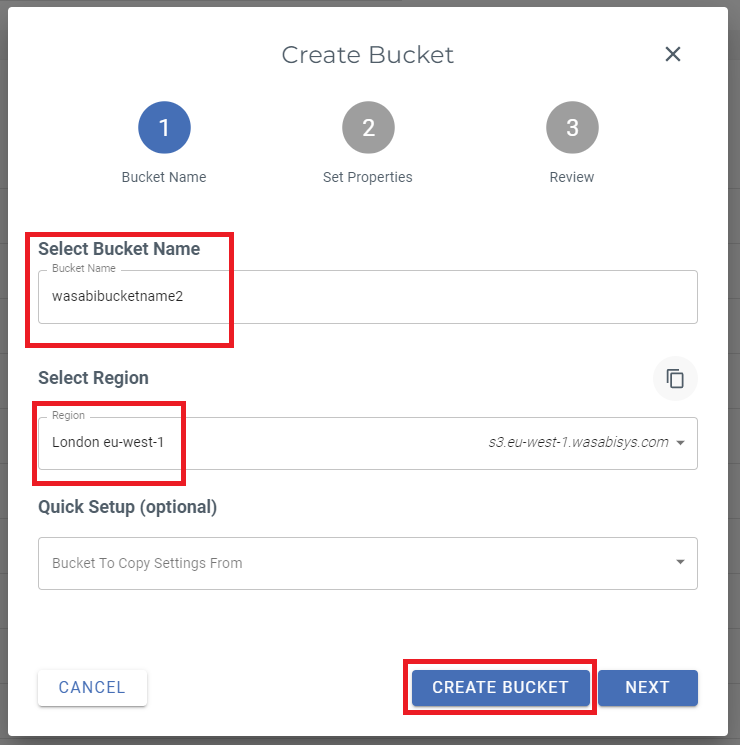
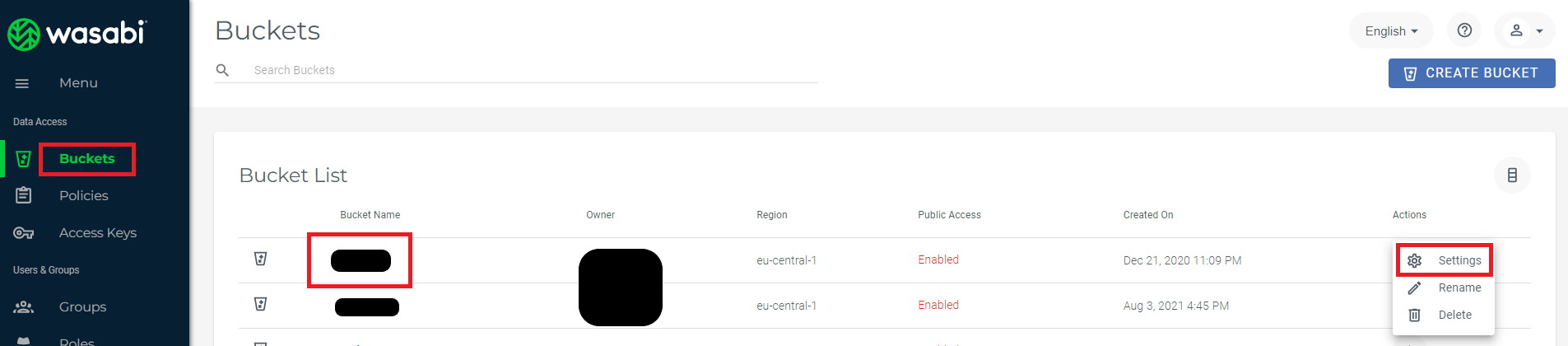
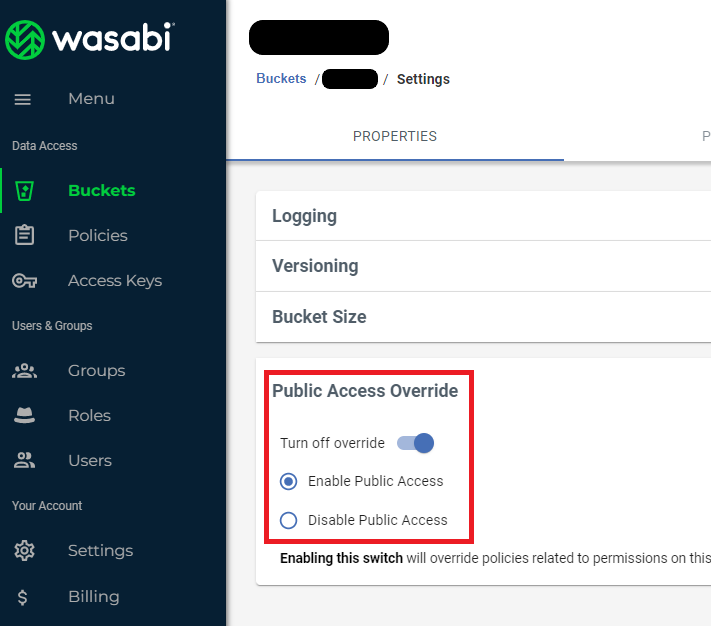
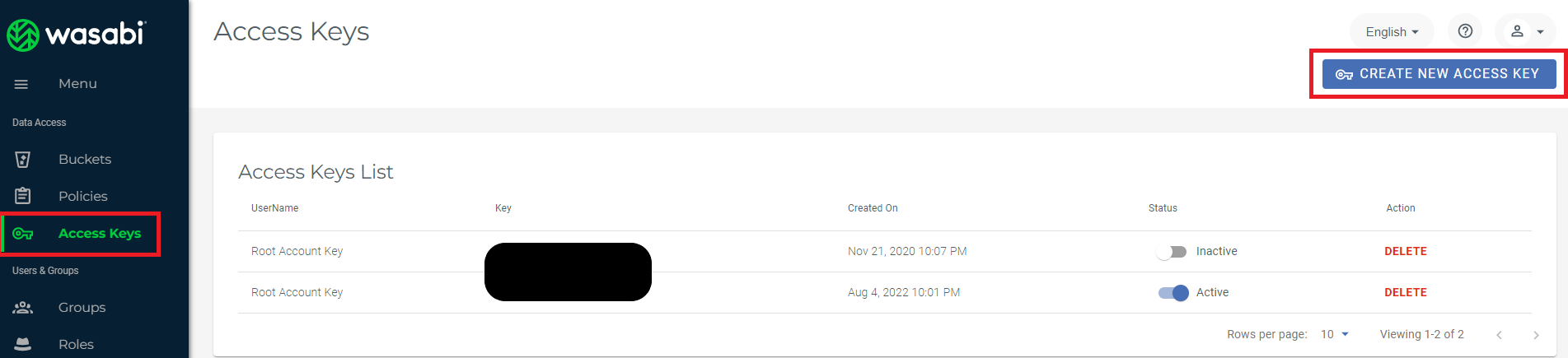
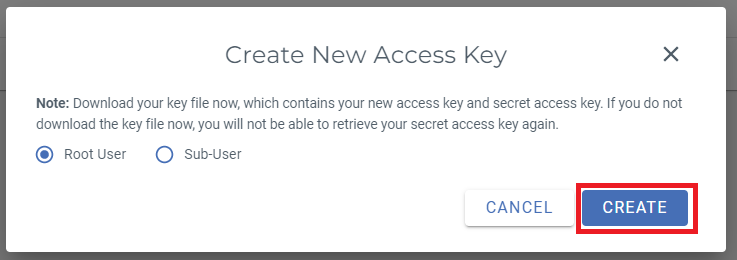
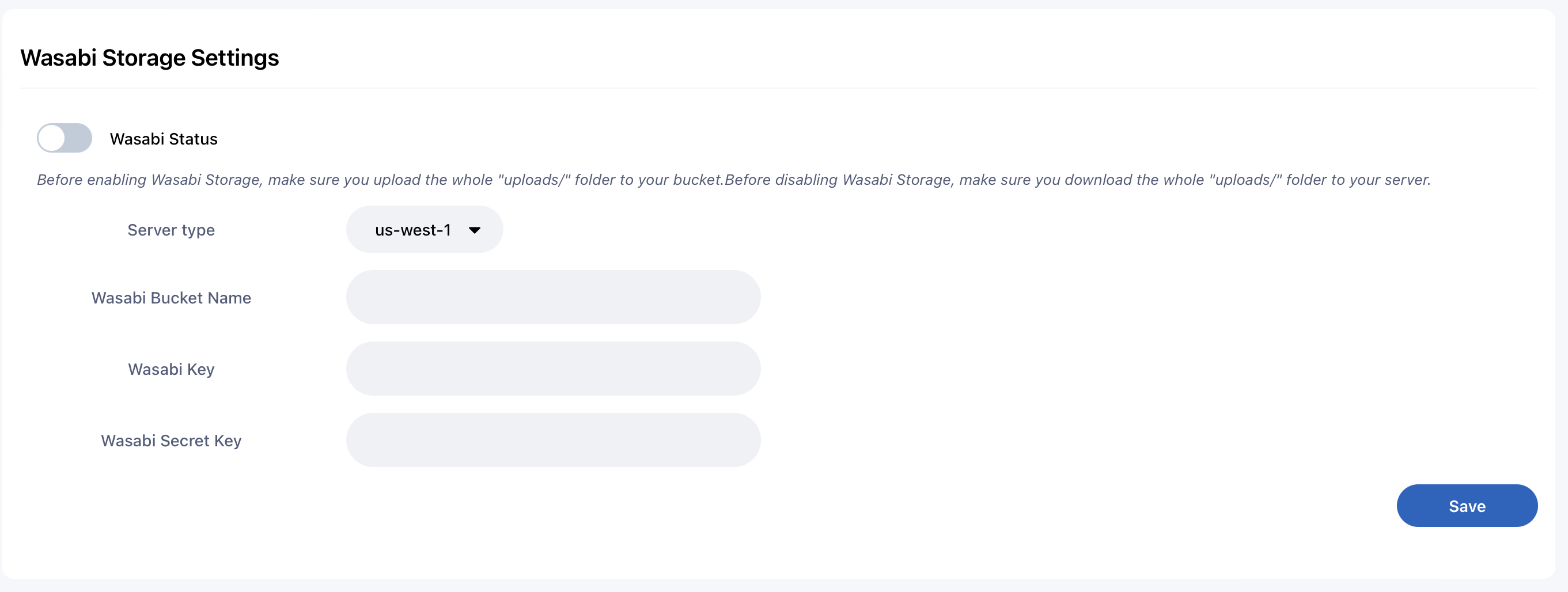
Storage Settings (Wasabi)

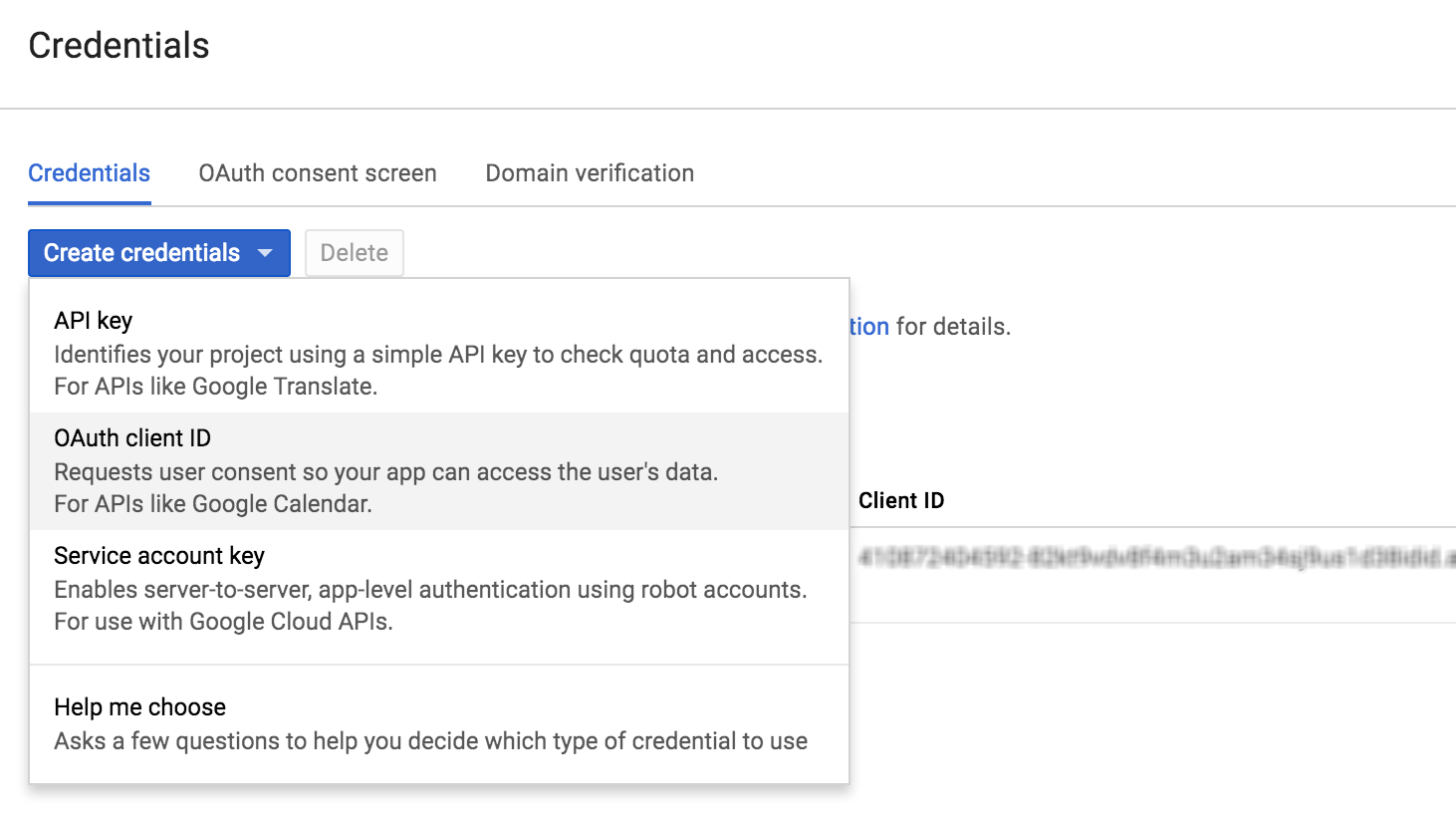
Login With Google Installation
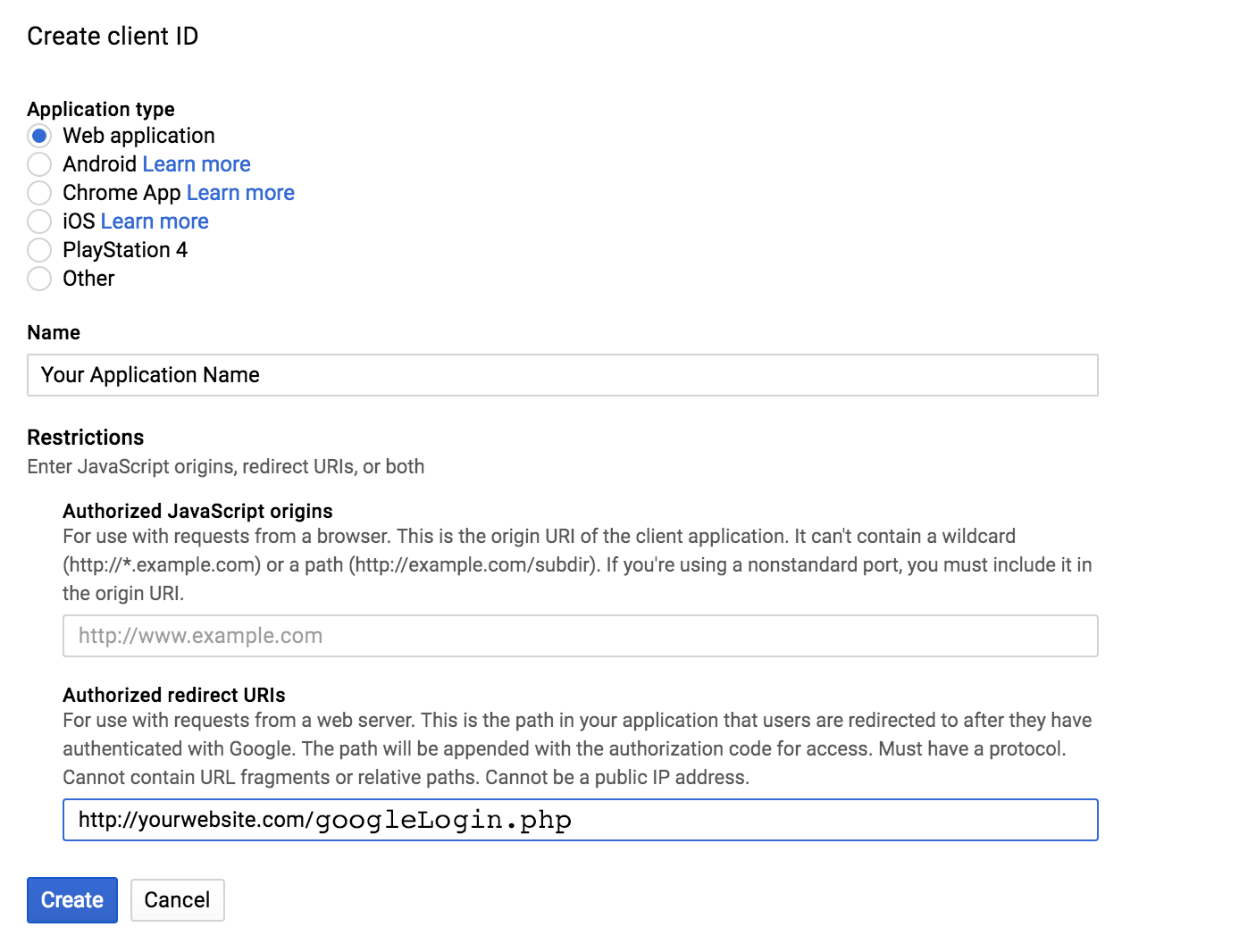
- Go to Google API Console create OAuth client ID
- Step 2: Google APIConsole create client ID OAuth Console here.
- Step 3: Google APIConsole create client ID OAuth Console here.
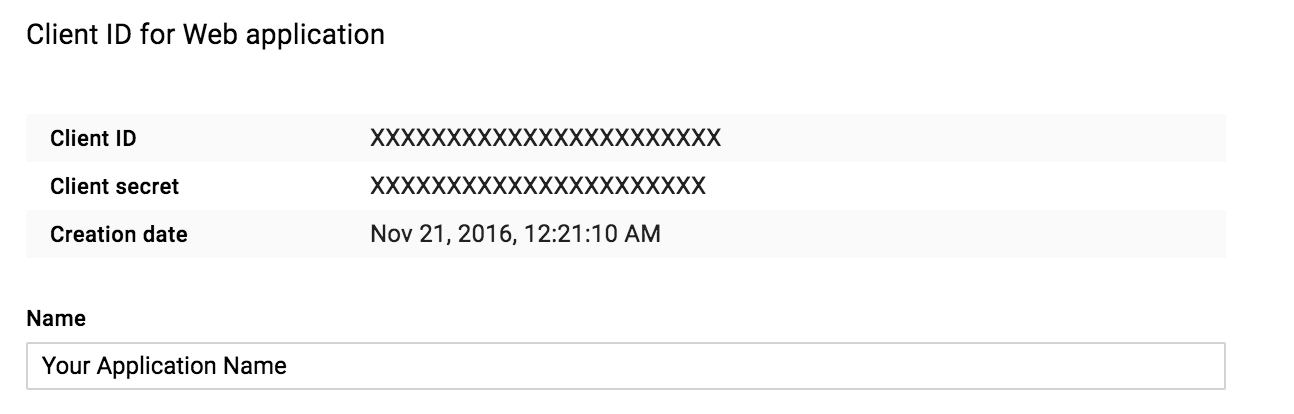
Create Twitter App
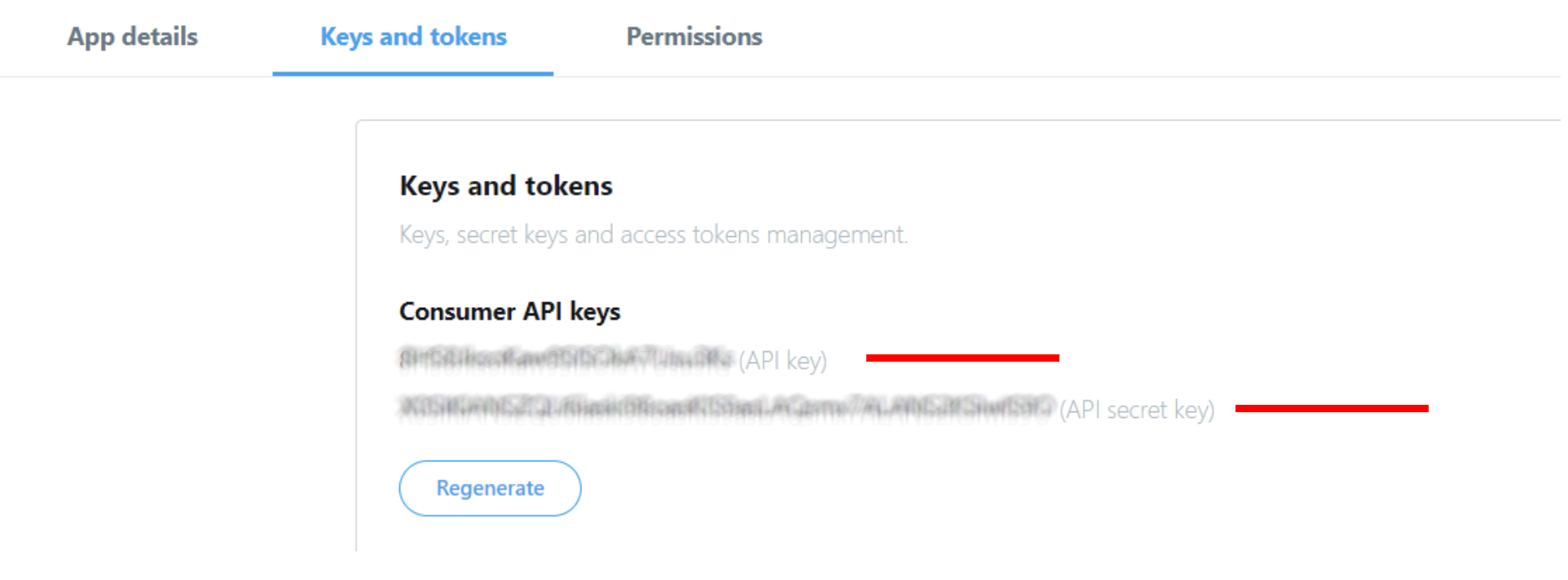
To access Twitter API you need to create a Twitter App and specify the Consumer key & Consumer secret at the time of calling the Twitter API. If you haven’t already created a Twitter App, follow the below steps to create and configure a Twitter App from the Application Management page.
- Go to the Twitter Developer account and log in with your Twitter account.
- Click the Create an app button. Before creating a Twitter App you need to Apply for a Developer account. If you don’t have already a Twitter Developer account, provide the required details to apply. Once your developer account is approved by Twitter, create a New App.
- Name: Your application Name. This is shown to the user in Twitter OAuth dialog.
- Description: Your application Description. This is shown to the user while authorizing.
- Website URL: Your web application URL.
- Callback URL(*): After authorization, this URL is loaded with oauth_token.
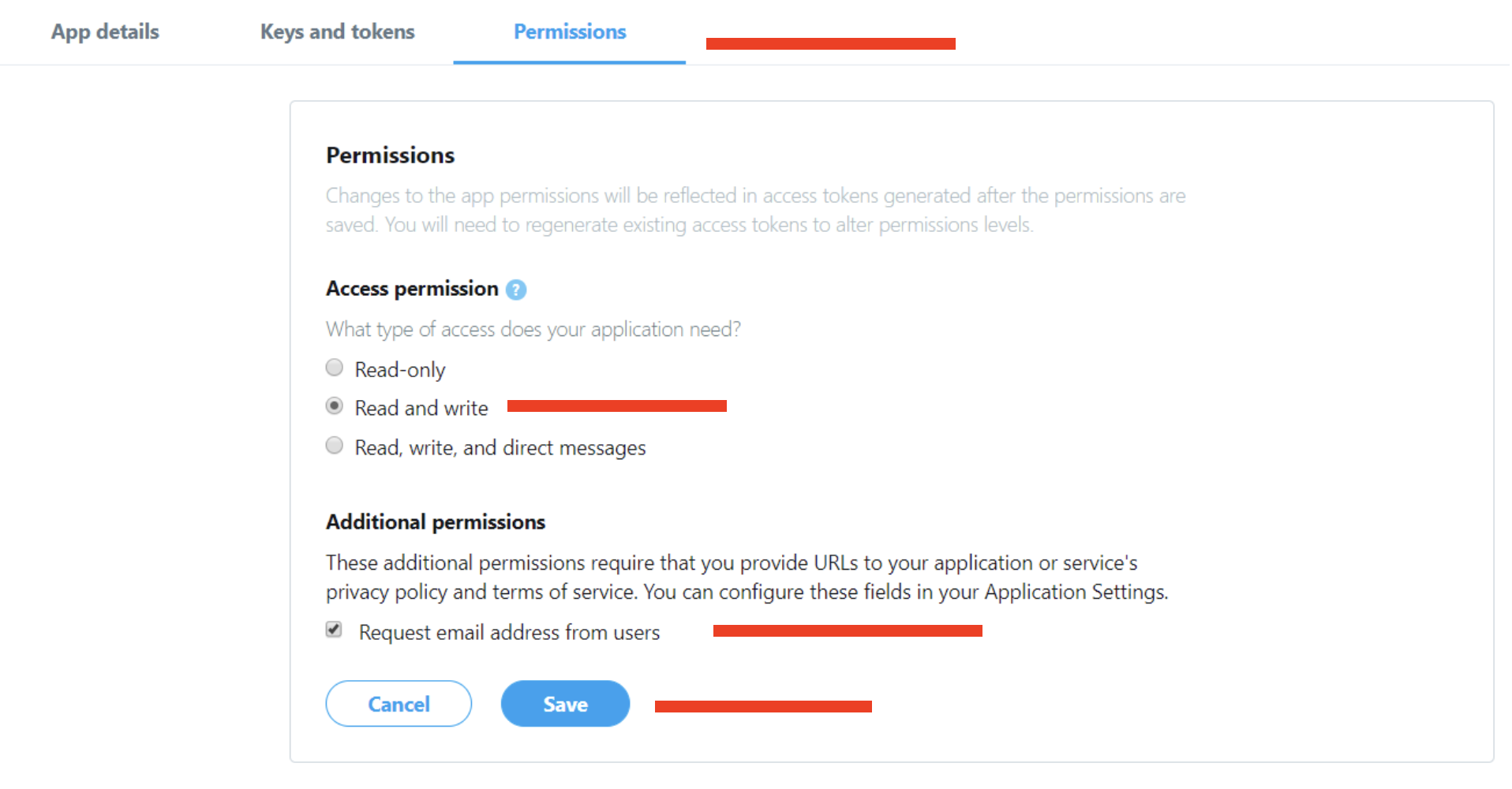
- Change the apps permission to Read and Write or Read, Write and Access direct messages. For changing the apps permission, you need to add a mobile number to your twitter account.
PayPal
- https://www.paypal.com (for production)
- https://developer.paypal.com/developer (for sandbox)
BitPay
- https://test.bitpay.com/signup/ (for test mode)
- https://bitpay.com/signup/ (for product mode)
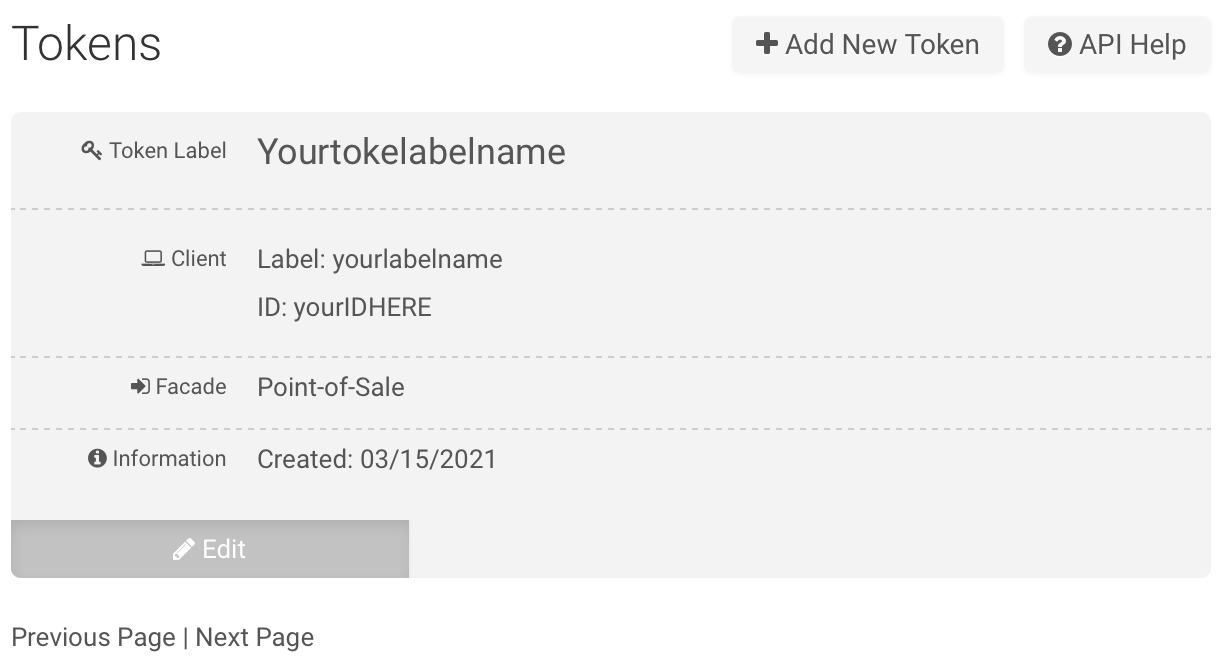
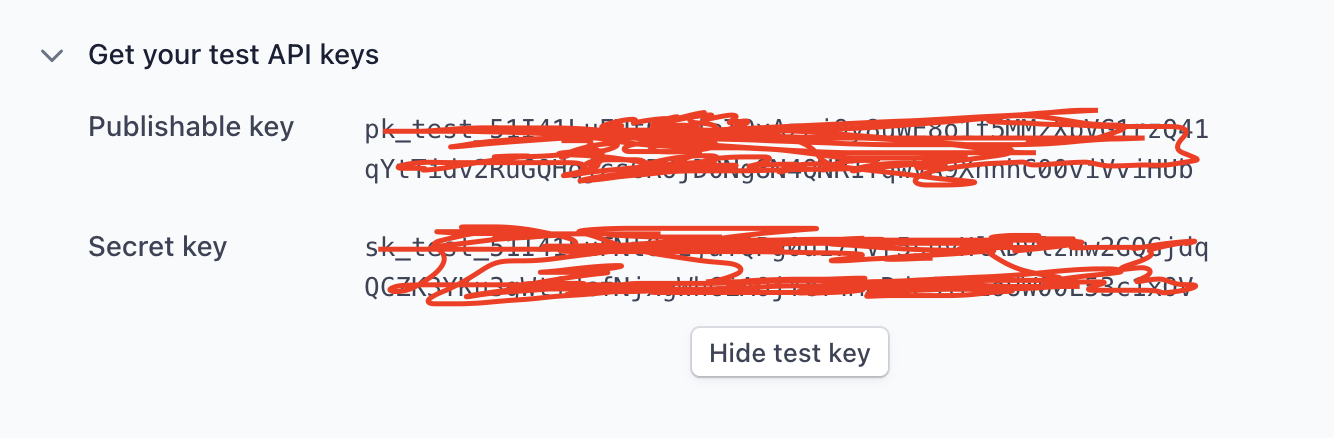
Stripe
Authorize.Net
- https://developer.authorize.net/hello_world/sandbox/ (for sendbox mode)
- https://www.authorize.net/sign-up/ (for product mode)
IyziCo
RazorPay
PayStack
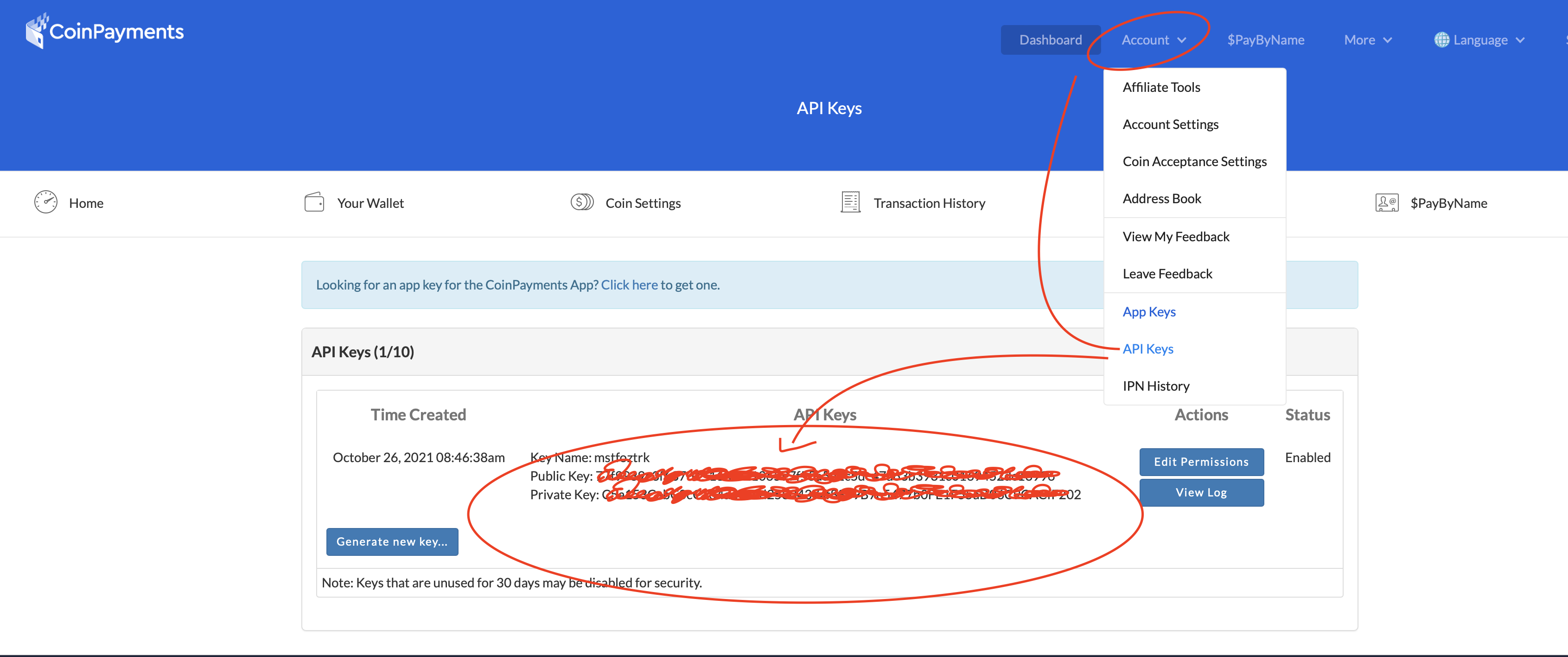
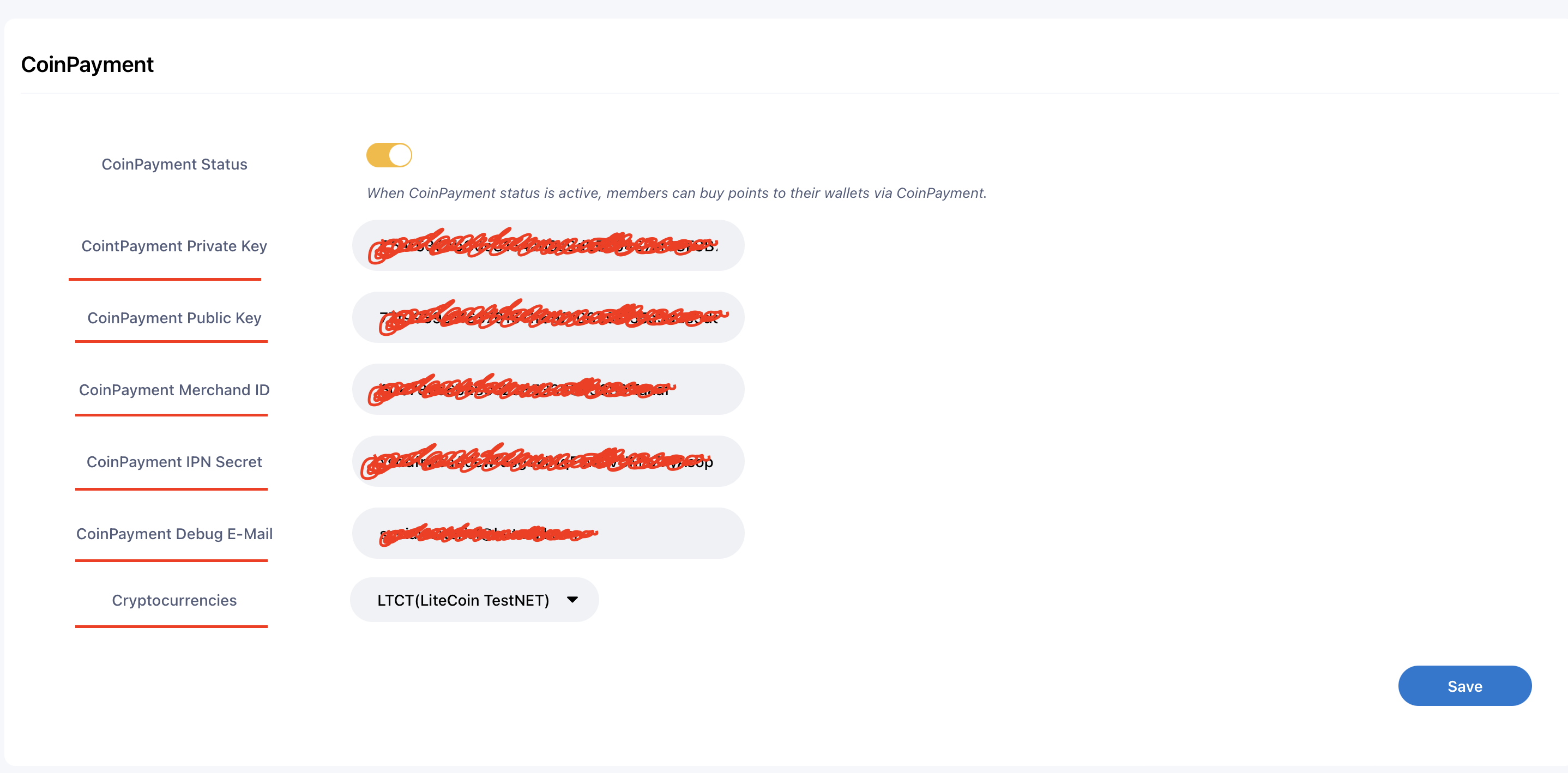
CoinPayment
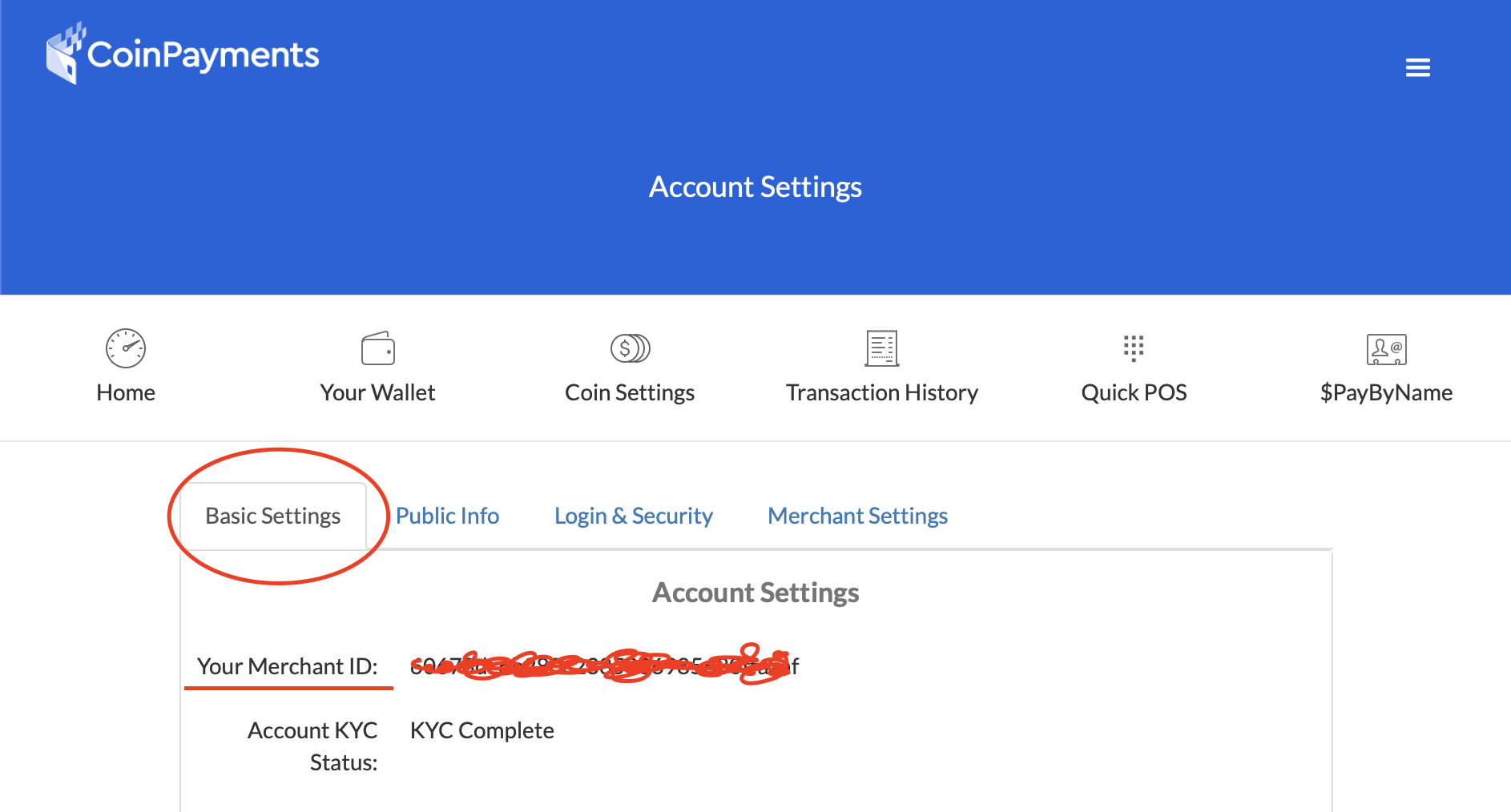
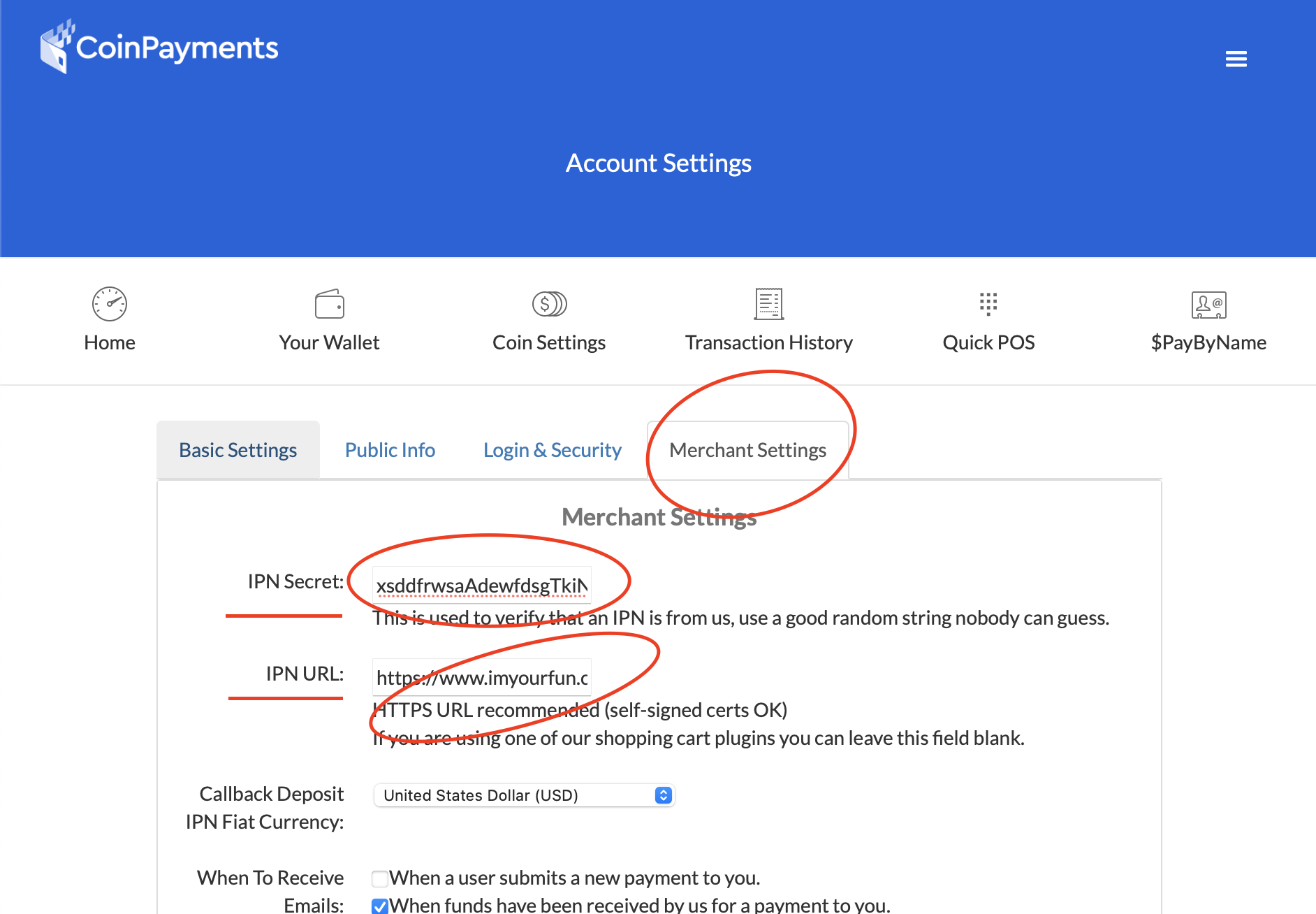
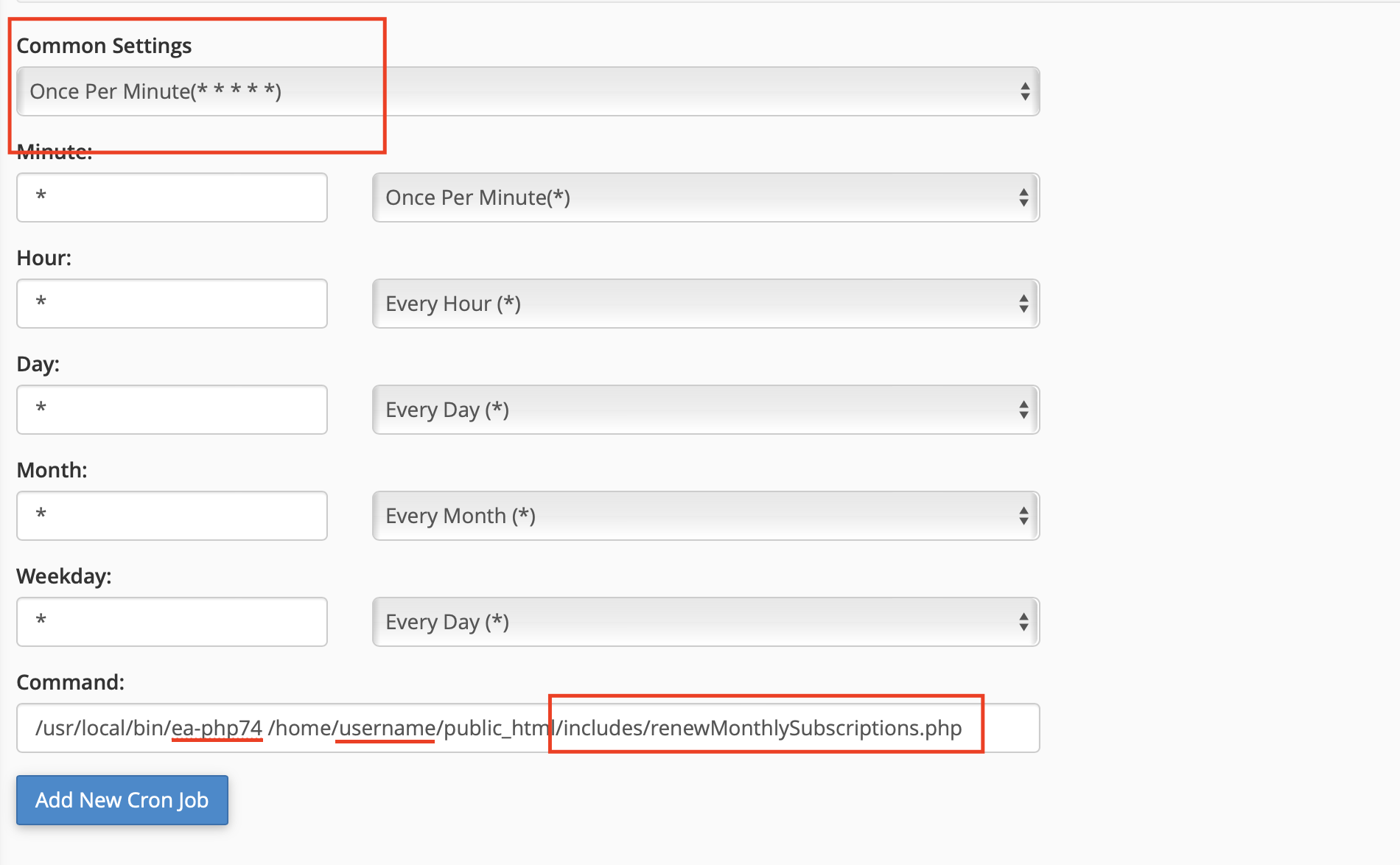
Create Cron Job

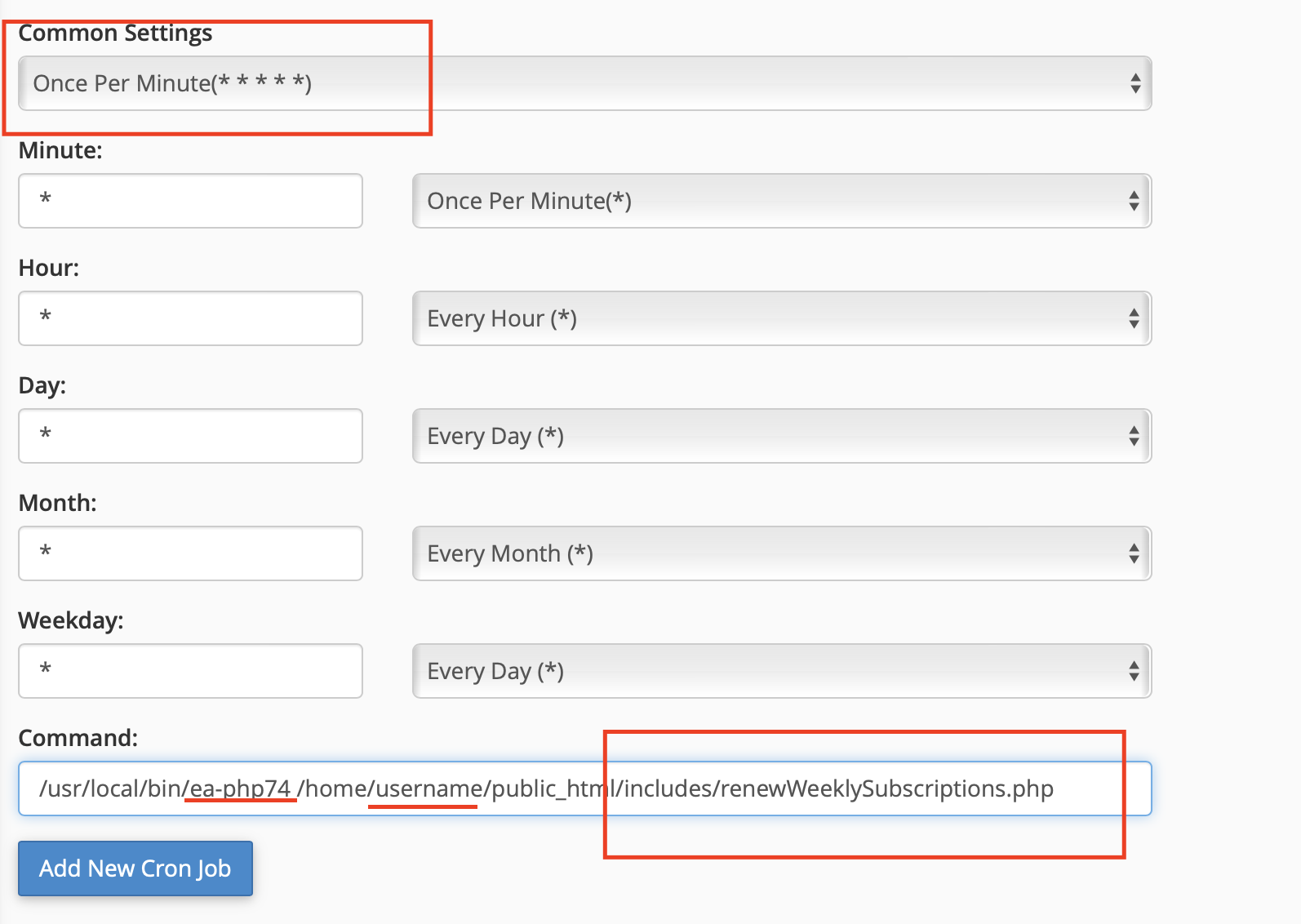
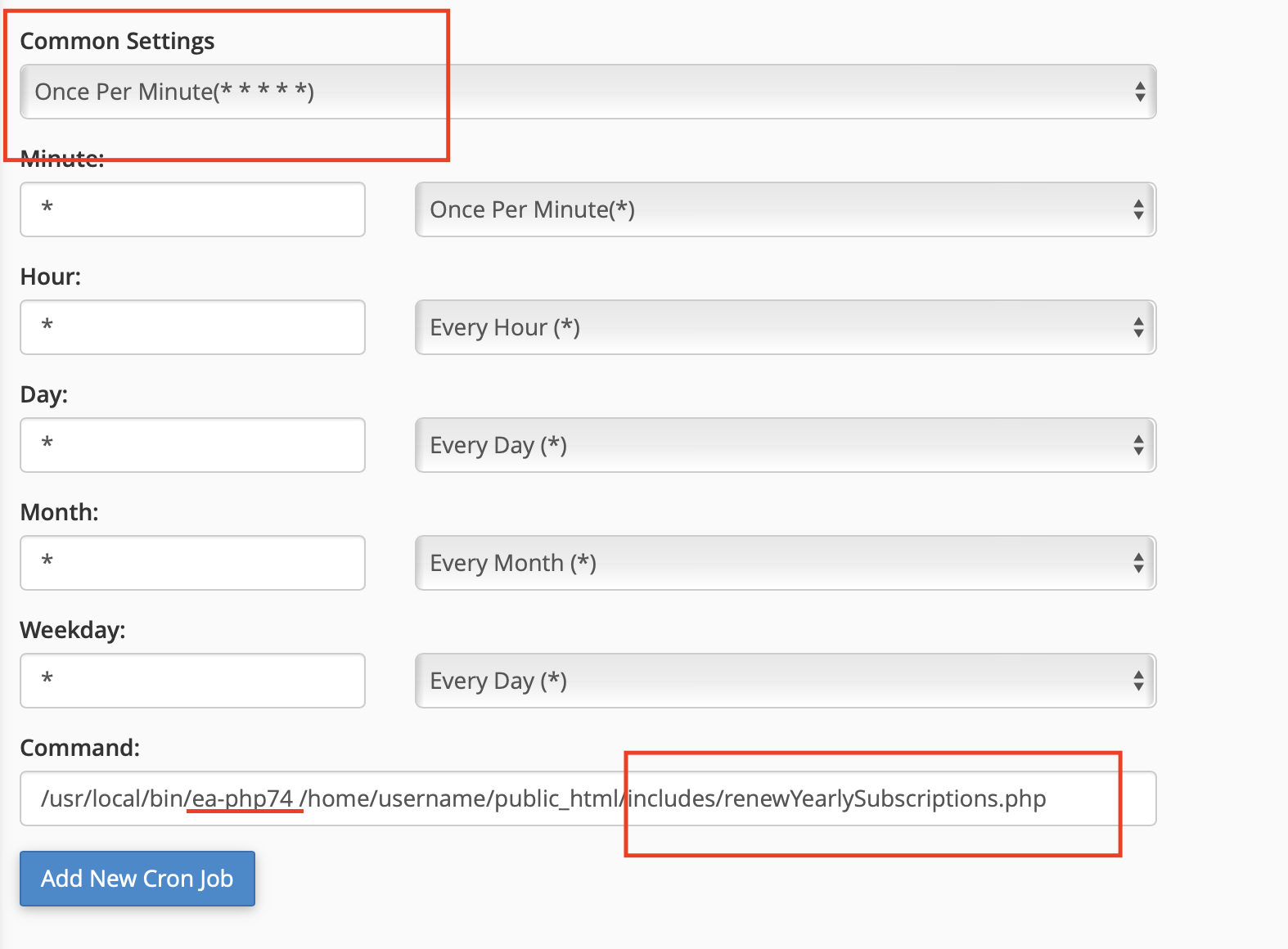
/usr/local/bin/ea-php74 /home/username/public_html/includes/renewWeeklySubscriptions.php
/usr/local/bin/ea-php74 /home/username/public_html/includes/renewMonthlySubscriptions.php
/usr/local/bin/ea-php74 /home/username/public_html/includes/renewYearlySubscriptions.php
/usr/local/bin/ea-php74 /home/username/public_html/includes/calculateSubscriptionEarnings.php
- In the image above change ea-php74 for your PHP version, username for yours, and put the path where your project is located, in my case it is in public_html.
- Click on Add New Cron Job and you're done!
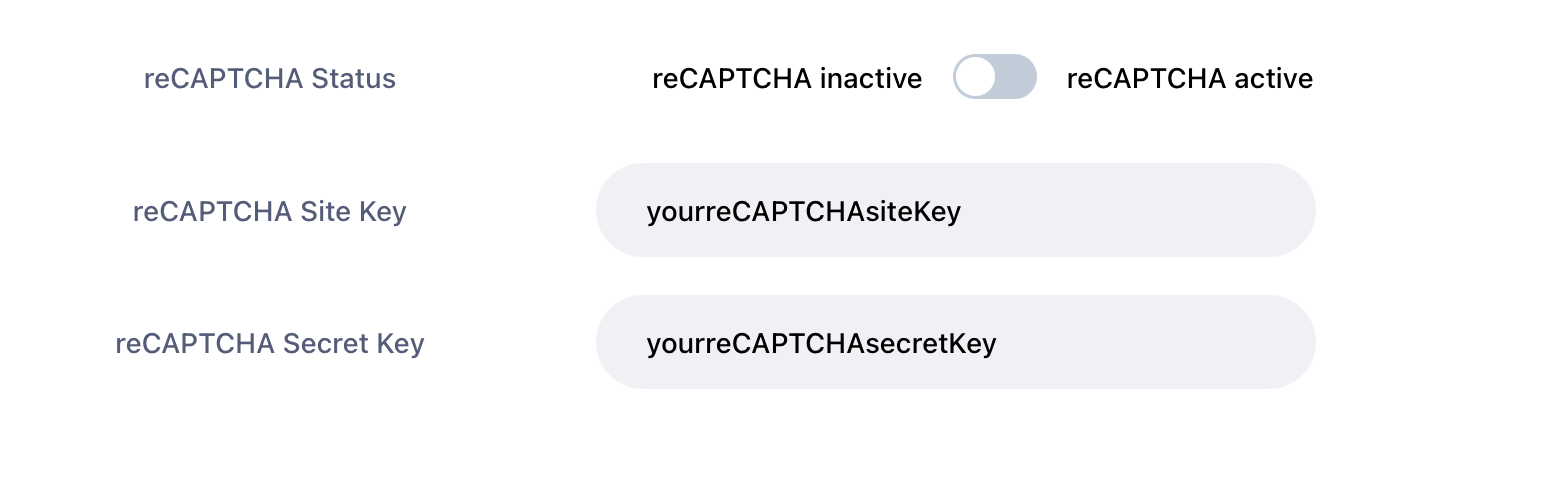
reCaptcha
- Open https://www.YOURWEBSITE.com/admin/limits
- Get your API keys here Create a reCAPTCHA
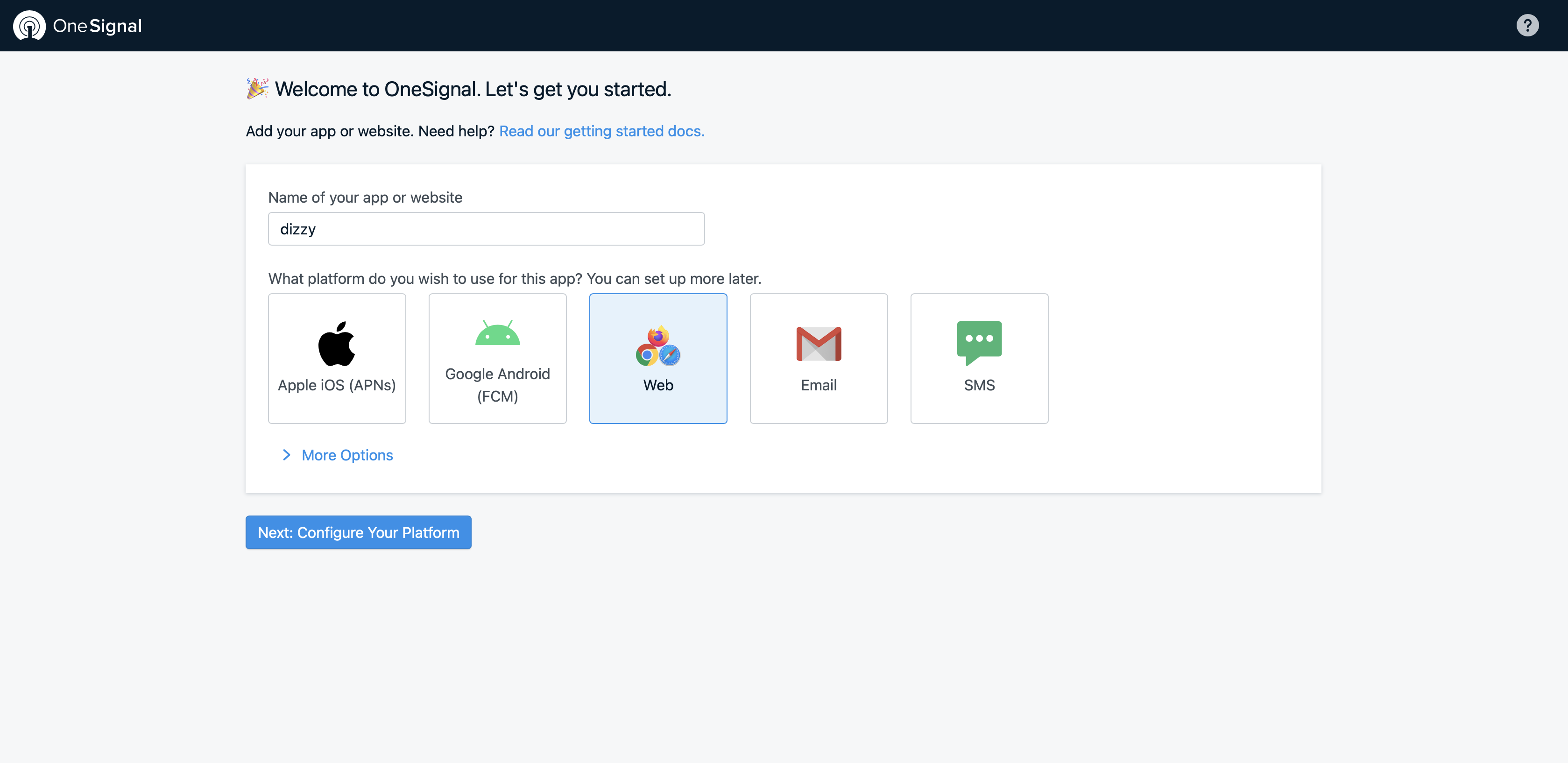
Please follow the following steps then make sure you clear cache before testing.
- Register or Login OneSignal https://onesignal.com
-
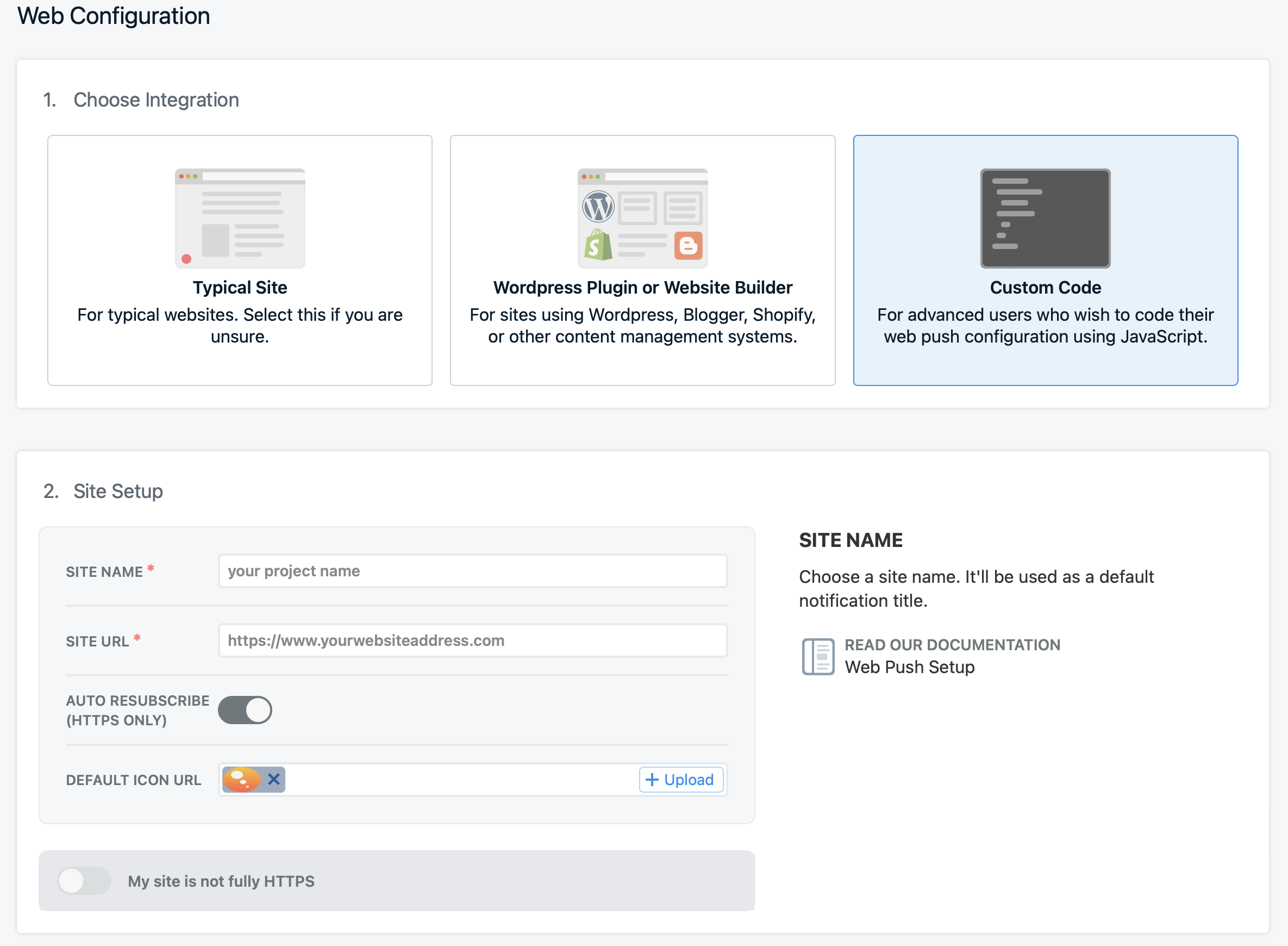
Setup your web configuration
- Choose Integration
- Site Setup
- Click Save
-
Click Settings
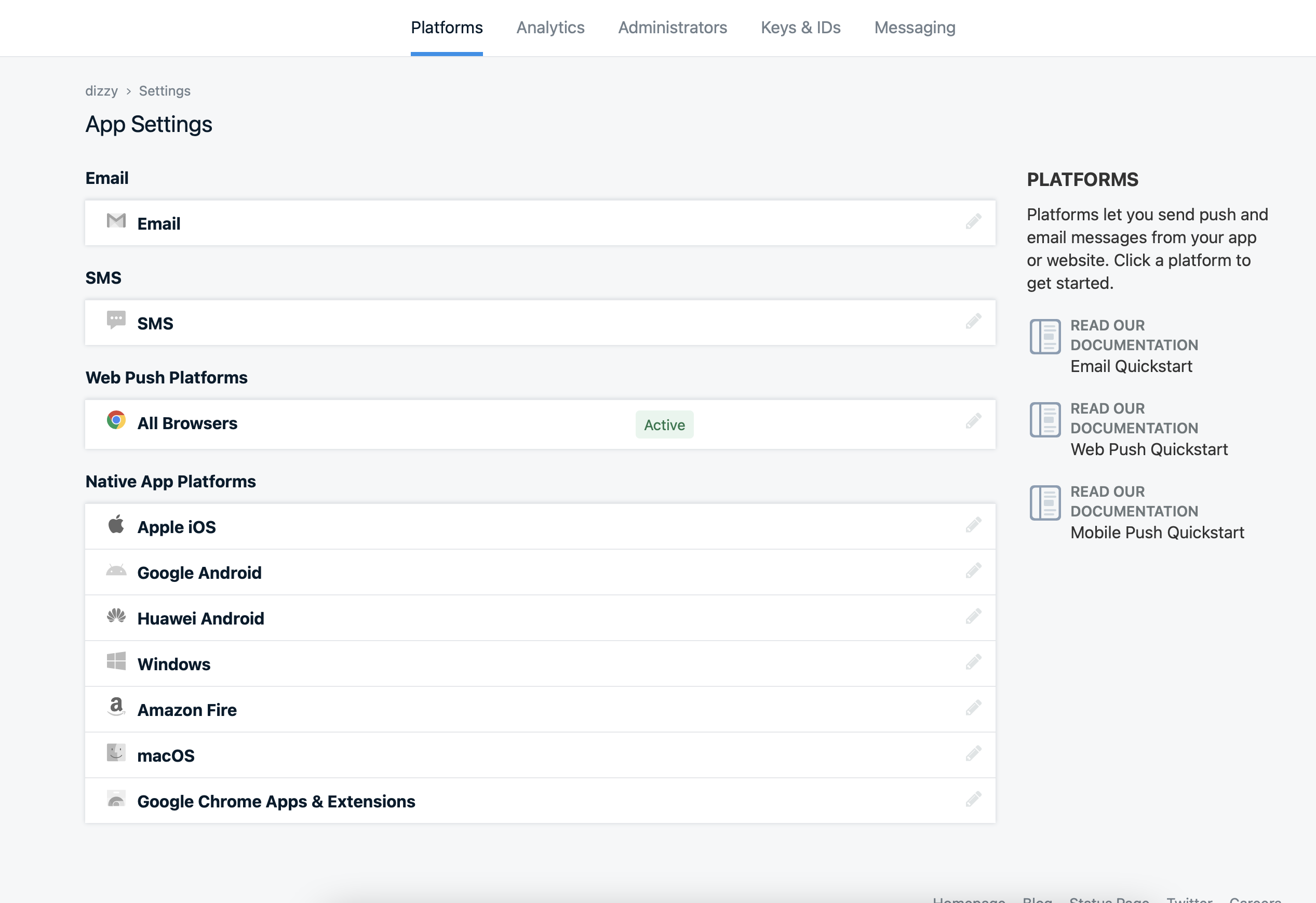
- After then click Web Push Platforms like as follows
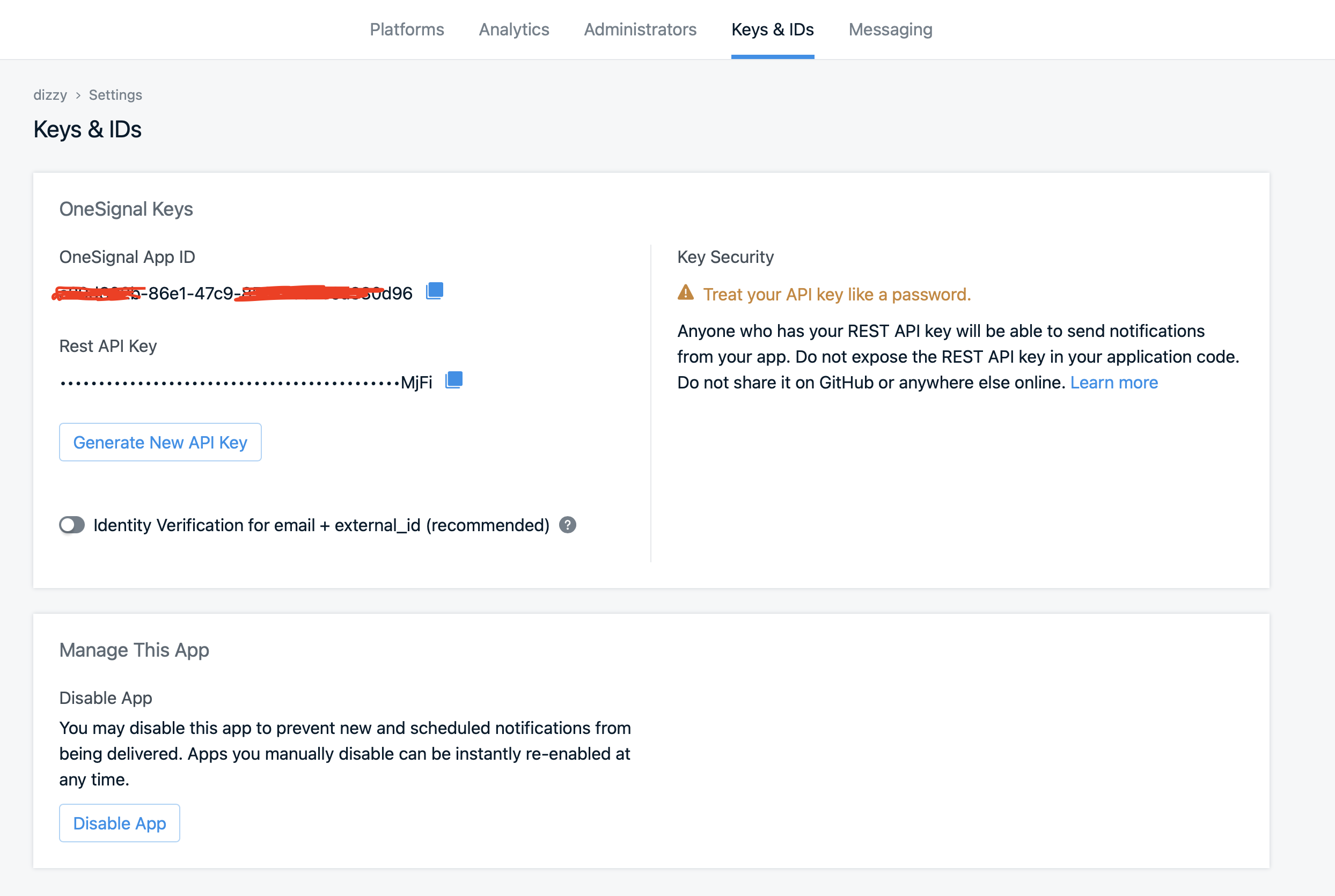
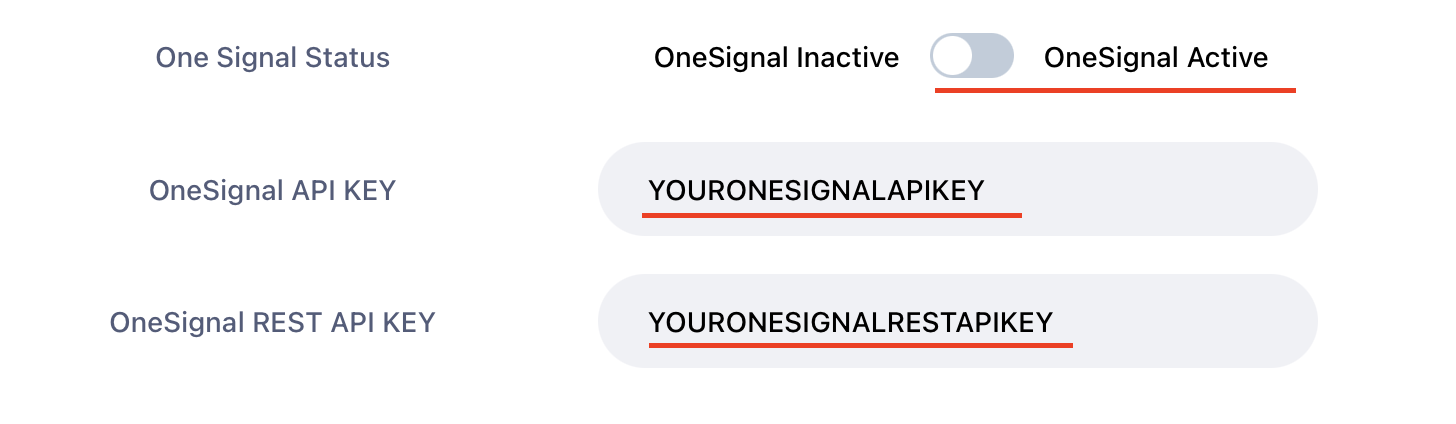
- After clicking the Web Push Platforms you can see your Keys Just copy and paste your own keys in admin panel
- https://www.YOURWEBSITEL.com/admin/limits
Please follow the following steps then make sure you clear cache before testing.
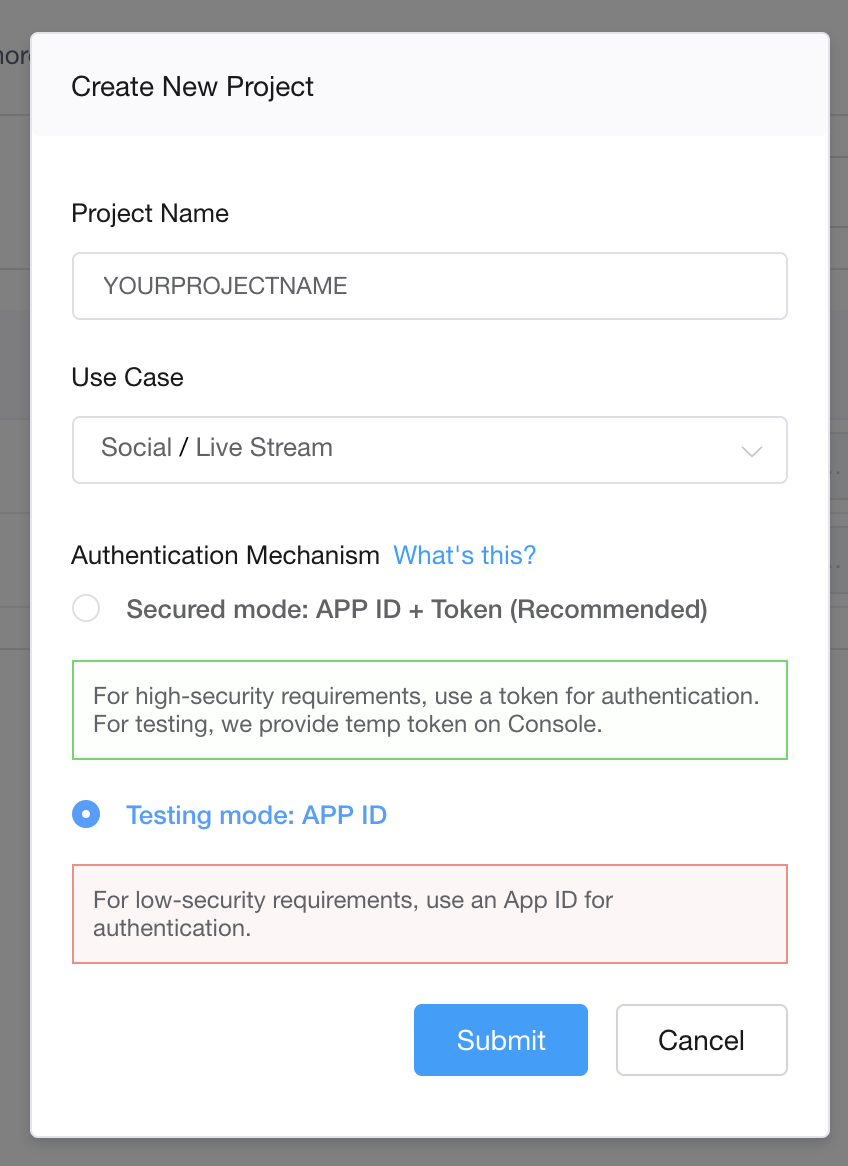
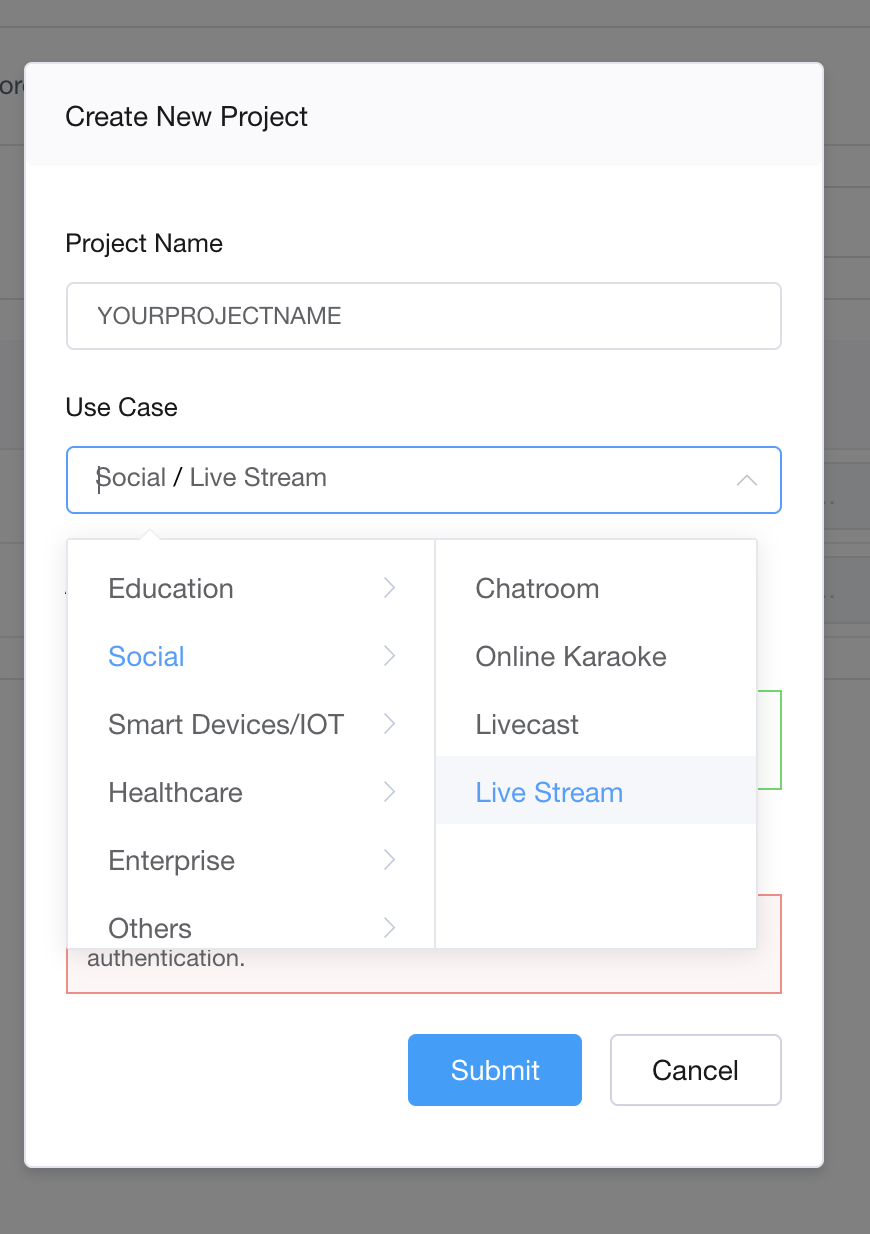
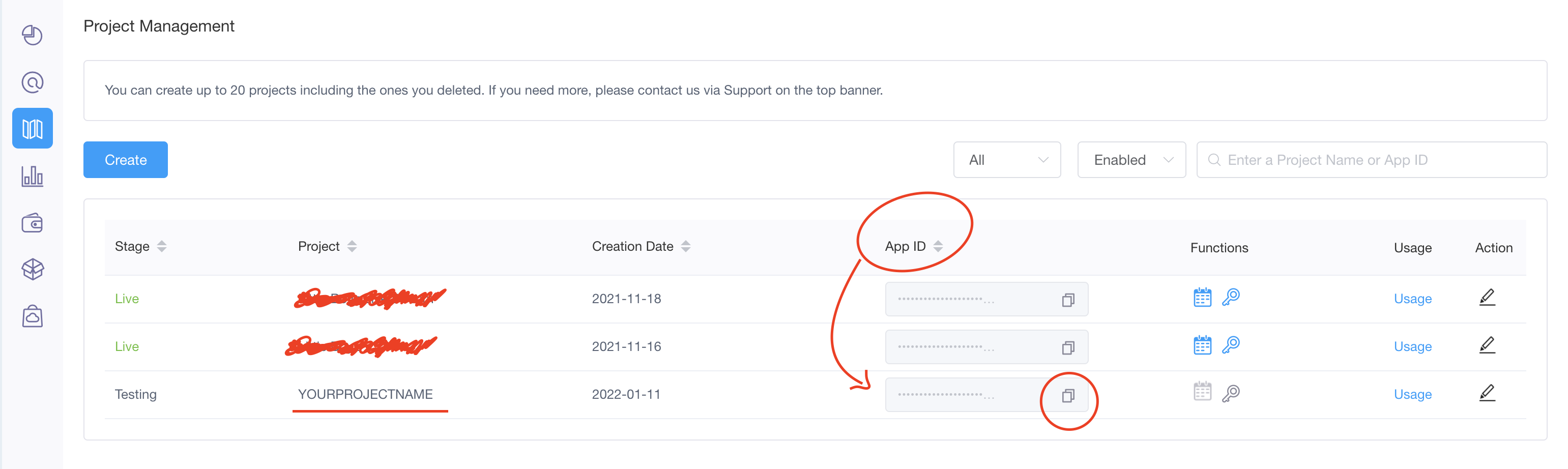
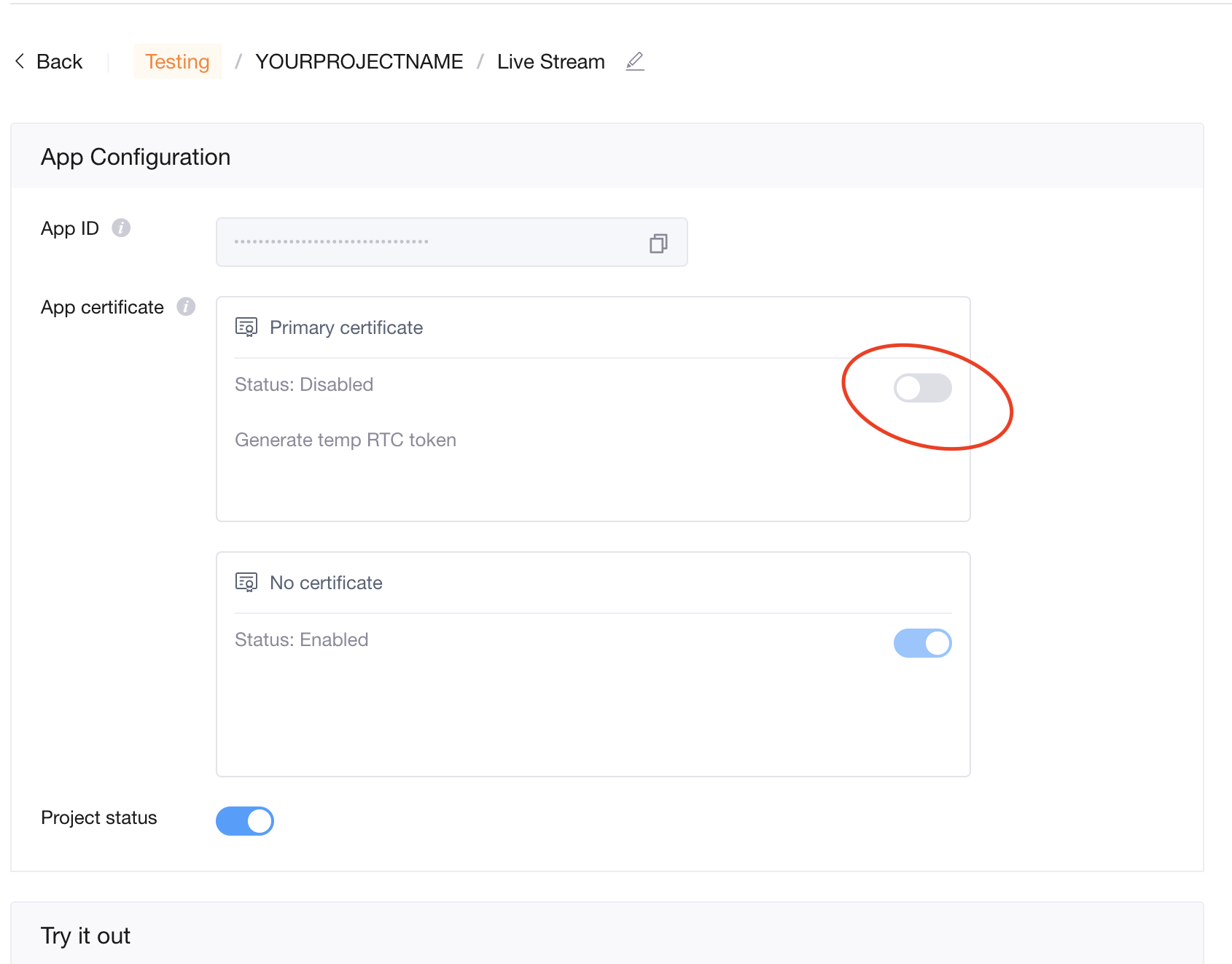
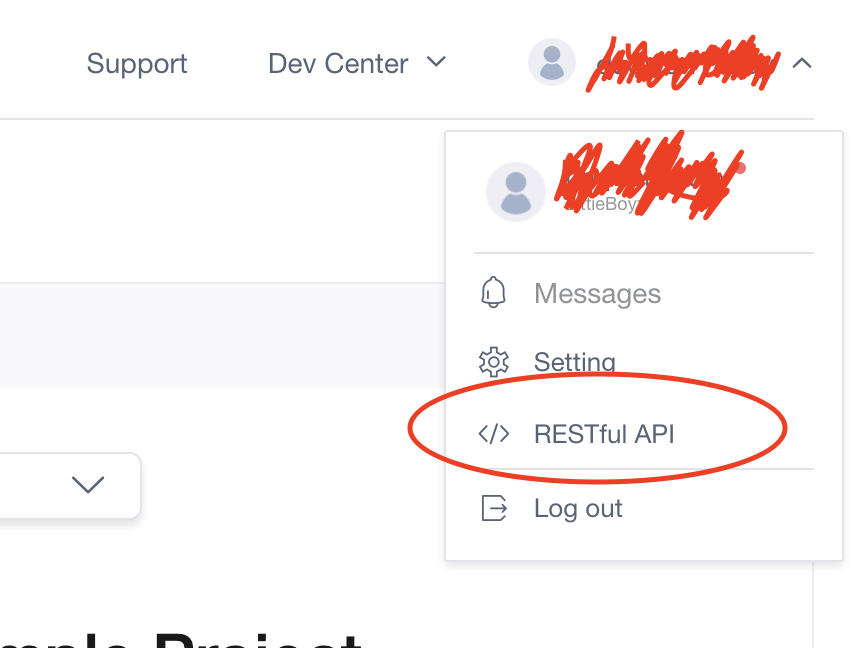
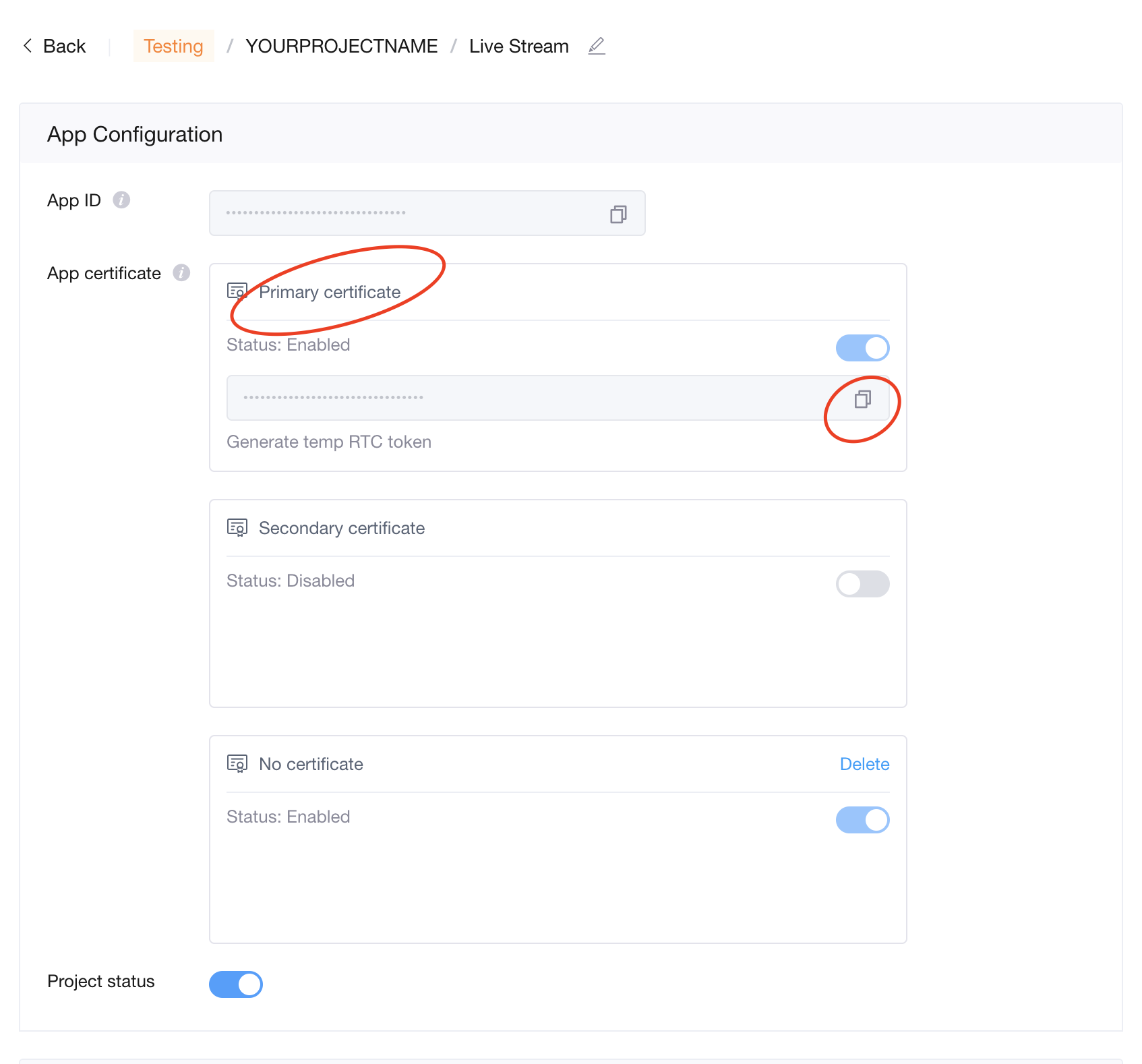
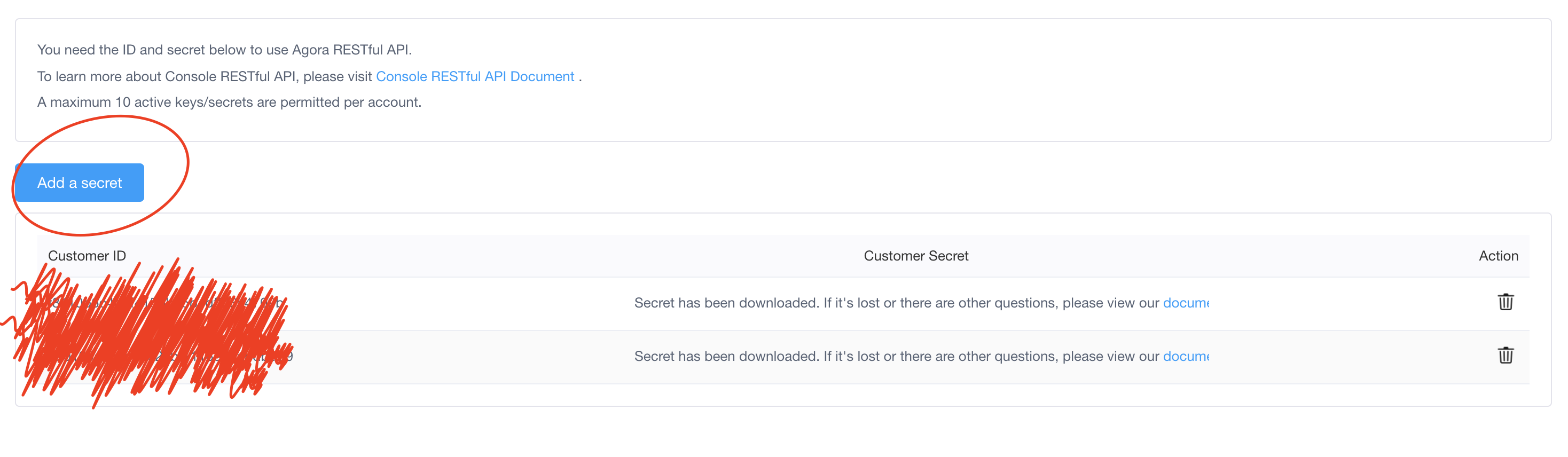
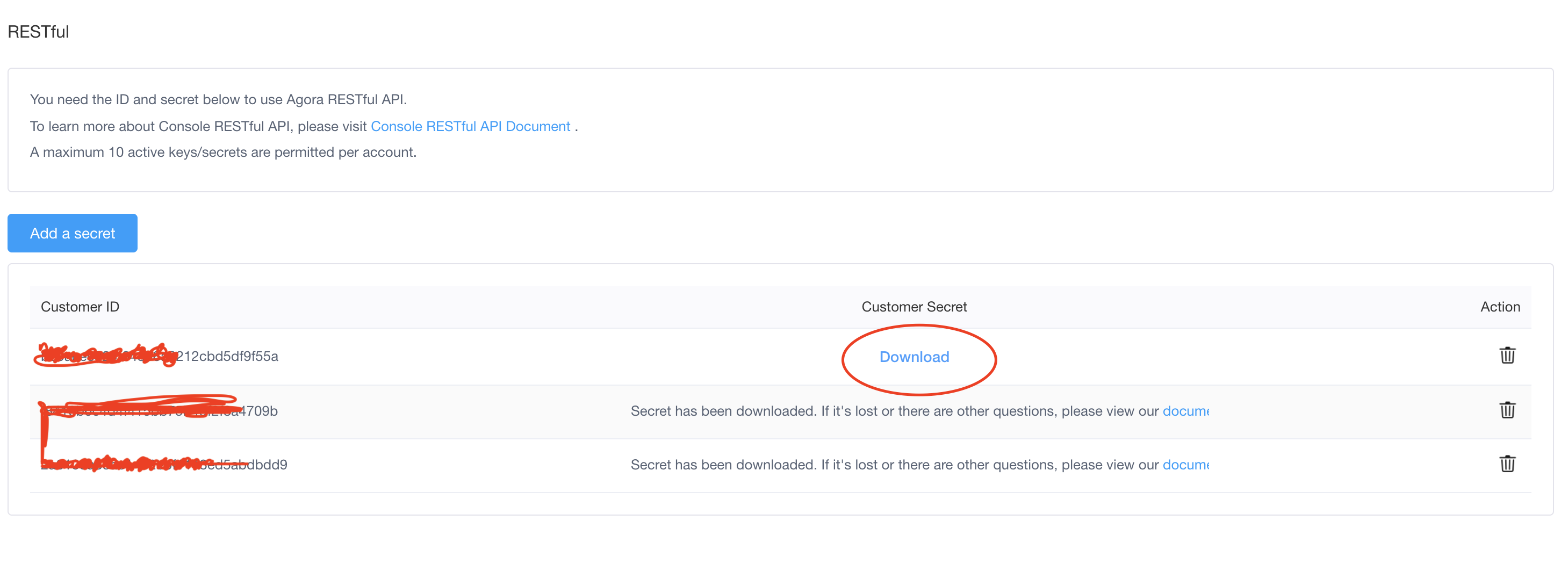
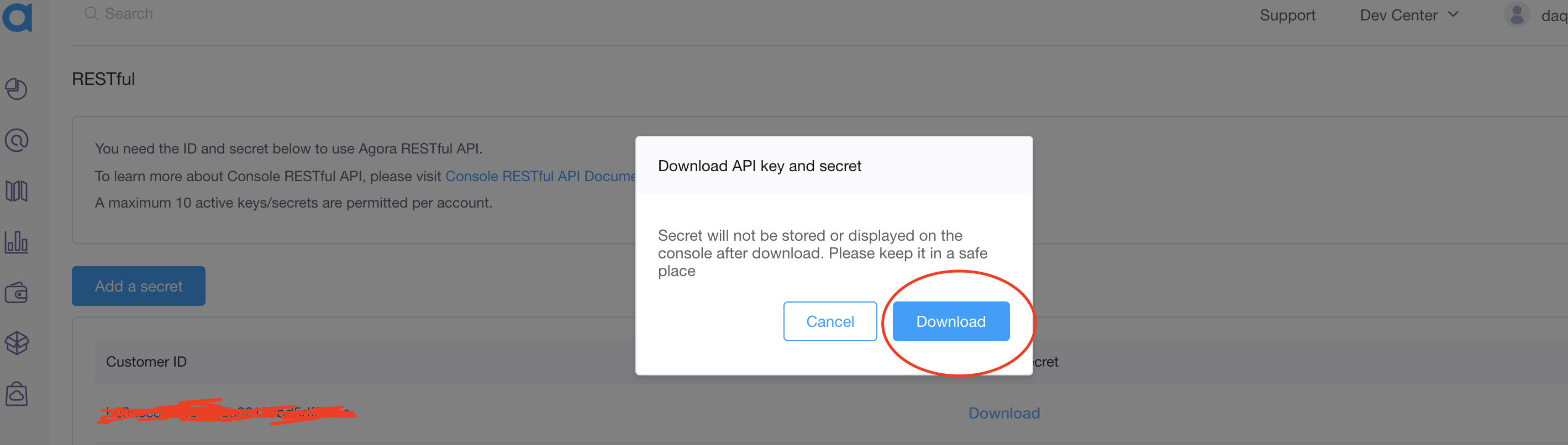
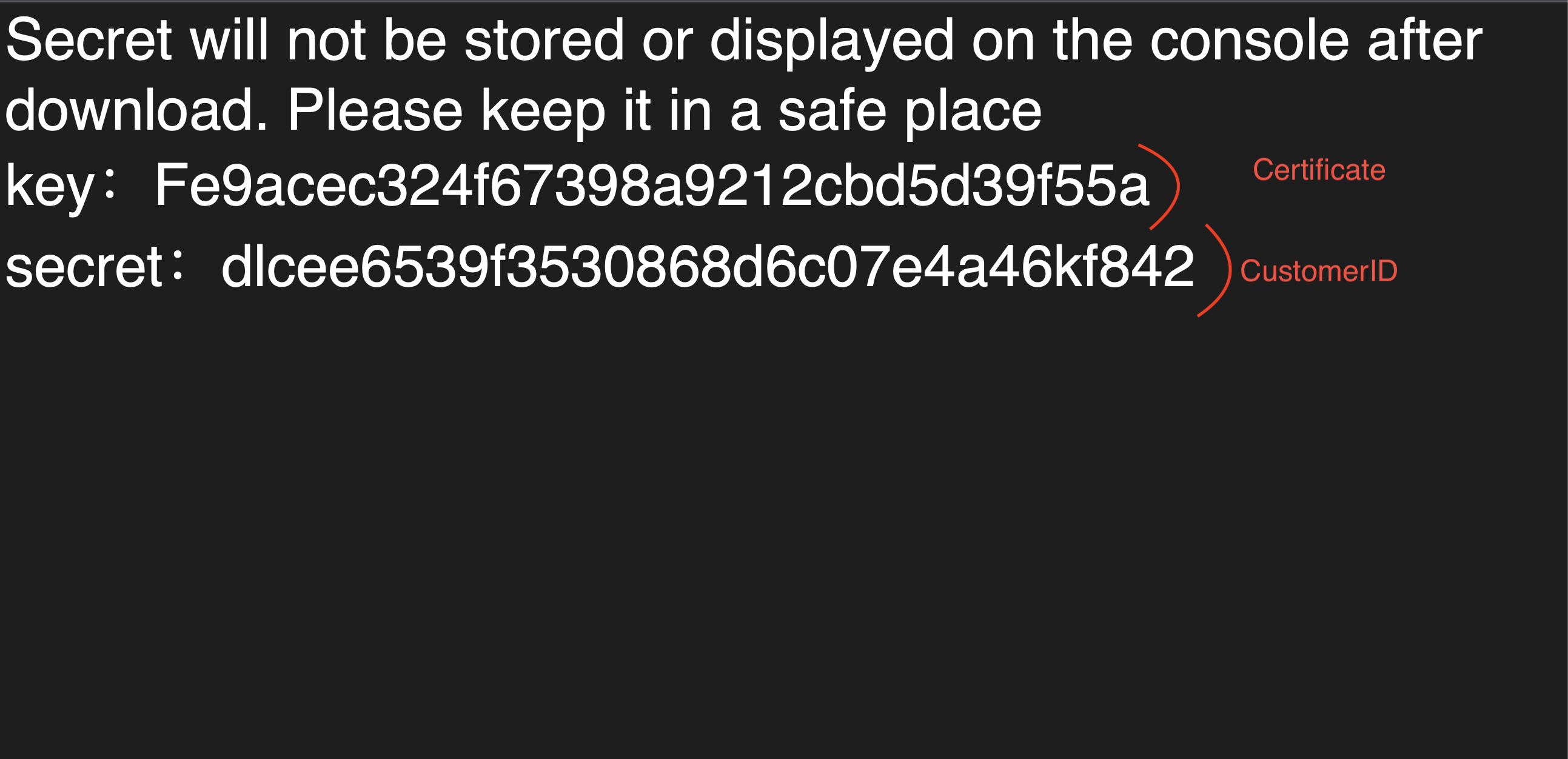
After creating a new project in your Agora dashboard panel, do not forget to do the above. If the first project you created does not work, create a second project and use the details of the second project you created. It will definitely work if you do everything right.
if you want me to install agora. Please create a ticket on my support site. AGORA INSTALLATION PROCESS IS PAID.
How To Install PWA
"name": "dizzy - Support Content Creator Script",
"short_name": "dizzy",
"scope": "/",
"start_url": "https://dizzy.dizzyscripts.com/",
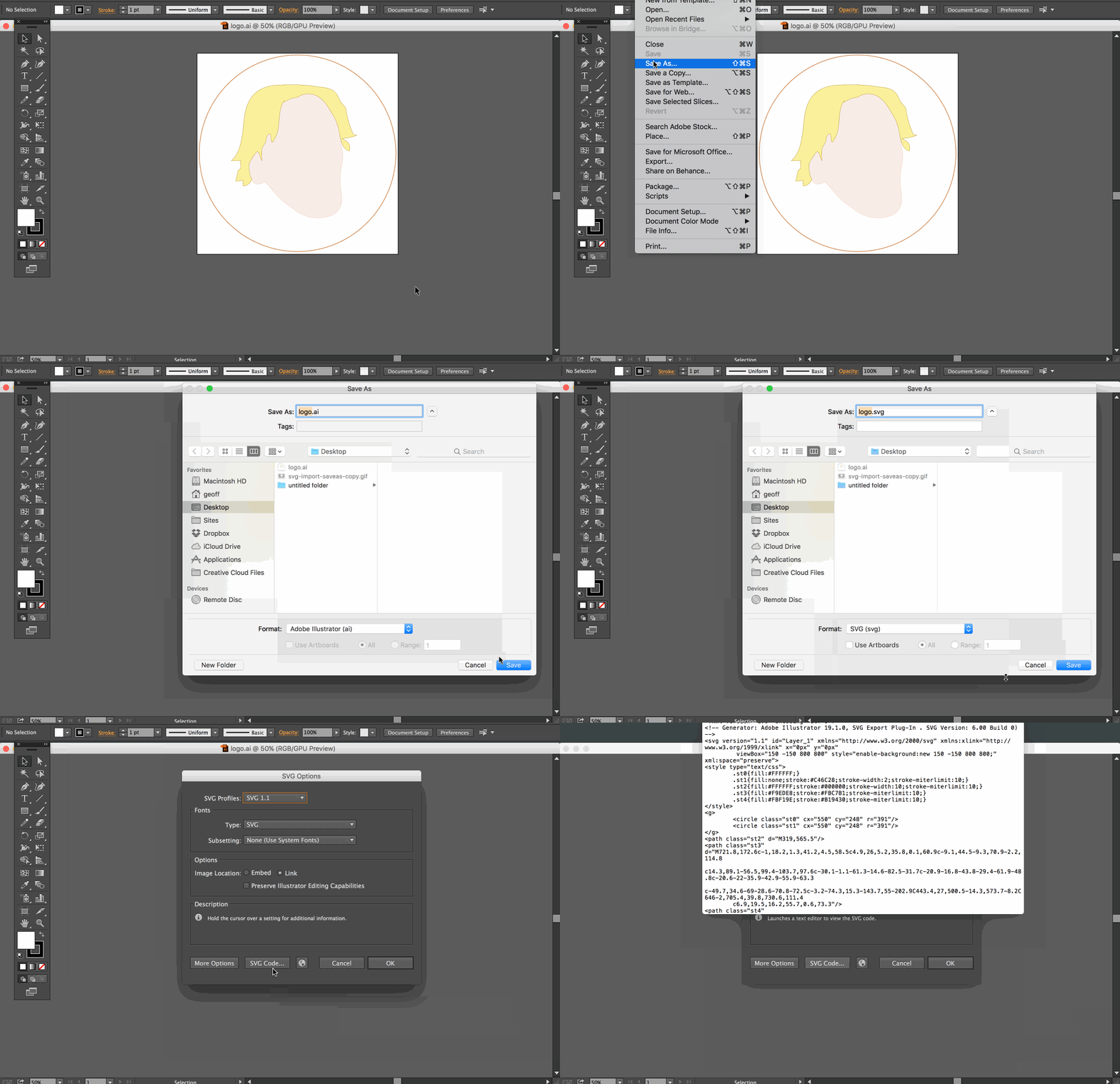
How to add SVG Code
How to Get SVG Code

Customization services are strictly paid. You can share the details of the customization service you want to receive with me by CREATING A TICKET on my support site.
Once again, thank you so much for purchased my dizzy - Support Creator Content Script . As I said at the beginning, I'd be glad to help you if you have any questions relating to dizzy - Support Creator Content Script. Please feel free
to CREATE TICKET